Search This Blog

Avoid Analysis Paralysis by Experimenting

Have you ever been stuck on a problem, not because you didn't have any ideas for how to solve it, but because you had too many? It's a common situation to fall into in software engineering because any given problem will have a multitude of solutions, and each of them boil down to writing and changing the right code, a process that can be quite quick and has a tight feedback loop. It's a much faster process than designing complex hardware systems, like integrated circuits or automobiles, and the turn-around time on an idea can often be measured in minutes to days instead of months to years. Often the programmer is faced with numerous potentially promising solutions at once. With so many choices and fast implementation times, a good way to get out of the analysis paralysis rut is to roll up your sleeves and start experimenting.

Software is flexible and malleable in a way that hardware is not. Software is more like writing or movies or music in that it can be bent, stretched, molded, and rearranged on a whim, so trying out ideas should be the default method of attacking small- to medium-sized problems. Obviously, attacking large problems in software by constantly tearing up and replacing the basic architecture of the code base will inevitably lead to disaster. Those decisions require more forethought and design, but for the day-to-day problems we all have to deal with, experimentation is a great way to discover what works best and keep moving forward.

If you find yourself in a discussion or meeting, debating the best course of action on a development problem, and you start to realize that the combined time of everyone in the room is approaching the time it would take to implement at least two of the options, it's probably better to start spinning up some experiments to prove out a winner instead of continuing to hash out arguments that have no clear answer.

One reason why we may resist experimenting in favor of discussions is that we have a mental block for changing working code in an unfinished project. Even though version control makes it easy to try out ideas and roll them back, it can still become harder and harder to make changes to a project as it matures. The project builds up inertia, and starts to resist change. Scott Berkun has a nice article about how ideas can become too precious, and they start to take on a life of their own:
Being precious means you’re behaving as if the draft, the sketch, the idea you’re working on is the most important thing in the history of the universe. It means you’ve lost perspective and can’t see the work objectively anymore. When you treat a work in progress too preciously, you trade your talents for fears. You become conservative, suppressing the courage required to make the tough choices that will resolve the work's problems and let you finish.
In the case of a software project the precious ideas are the accumulated work on the project that exists in the current state of the code base. To make progress, we have to push against the inertia of the code base and force improvements through experimentation. To push things in a new direction, branch the code and start experimenting with options until one emerges as a clear winner. If there is no clear winner, then you can still pick something from the implemented options and run with it, and you haven't wasted time debating options that didn't have much differentiation anyway.

When you're experimenting, don't be afraid to throw stuff away. It can feel like you're writing a lot of code that will never get used, but the code is not the important part. You're not throwing away work, you're gaining knowledge. The superfluous code is just a byproduct of gaining that knowledge. Over time the knowledge will accumulate and mature into wisdom. You'll be able to make better decisions, sidestep more pitfalls, and create viable solutions faster with the buildup of knowledge from regularly experimenting.

Experimentation turns out to be a useful way to make progress in many fields, some not so obvious. Take mathematics for example. My early impression of advanced mathematics was along the lines of mathematicians standing in front of blackboards, pondering proofs until they had an epiphany, and then writing down the proof in a burst of genius. The reality is quite different. Mathematics does involve plenty of thinking, of course, but it also involves plenty of experimenting with ideas. Often a hard problem must be broken up into pieces or changed into an easier problem to solve first. Lemmas, propositions, and minor theorems need to be built up to help in proving a major theorem, and a lot of the work of mathematics is building these tools to create the final product. If experimentation can work for such an abstract field as mathematics, it can certainly work for software development.

To get better at experimenting, it's important to get comfortable with spinning up an experiment quickly. The faster you can get a programming experiment started, the less friction there will be when you need to run an experiment to make a decision. I'm reminded of when I used to throw pottery (not literally picking up pots and throwing them, but making ceramic pots on a potter's wheel). When throwing pots, the first thing you have to do is center the clay on the wheel so that when the wheel spins at high speeds, the clay doesn't wobble at all. If the clay isn't centered properly, the pot won't stay symmetrical and may very well tear itself apart before you finish it. Much of learning to throw involves learning how to center, and once you can do it well and do it quickly, you can make more and better pots. You can run a lot more throwing experiments with your wheel time, and you more quickly discover what works and doesn't for making beautiful pottery.

The analog in programming is to get good at writing the necessary startup code to get to a basic working program as fast as possible. If you do web development, practice bringing up a new website and connecting it to a database. If you do embedded development, practice starting a new embedded application with tasks, interrupts, and communication interfaces that you use regularly. If you do mobile development, practice creating a new app and hooking up a basic GUI. Normally, you only do these things once at the beginning of a project, so the process isn't always fresh in your mind. If you practice it, then you can do it quickly and run more experiments with new code without having to tear up an existing architecture to do it.

Finally, experimenting with problems in code and trying out solutions will uncover issues that you would have never thought of otherwise. Sometimes a solution will fit right into the existing code base, much better than you thought it would, and can even make the code it interacts with simpler and more elegant. Other times it will require major transformations of other algorithms, data structures, and interfaces that you may not have thought through when the solution was an image in your mind's eye. Experimentation provides useful feedback on those things that you may have missed, and when you experiment with real code, you'll often find that you didn't need the complex, high-performance solution that you thought you did.

The ability to experiment is a useful tool to have in your programmer's toolbox. The results of an experiment are much more convincing than vague arguments when deciding among a set of options. Don't worry about writing code that may be thrown away because the useful work is the knowledge that's gained, and that knowledge can be reused to solve similar problems in the future. Instead, worry about getting faster at running experiments by practicing how to bring up new applications quickly in your environment. Then you can get the definitive answers you need to make progress.

Exploring the Tension in Software Abstractions

Ever since we started making tools as a species, we've been dealing with abstractions. We've been adding layer upon layer of abstraction to every form of work imaginable since those first hand-made chisels and knives long ago. With every layer of abstraction that we add, we can do the same amount of work with less effort or more work with the same amount of effort. Those layers of abstraction don't come for free, though. They add complexity. Especially within software engineering, where we have fine control over abstractions and can add many layers of abstraction even within one program, a tension exists between the abstractions we create and the complexity that results. We have to make intelligent choices with those abstractions while being aware of the trade-offs.

Movement and Computation


To get an idea of how we use abstractions to increase the efficiency of doing work, we can look at something physical that we've abstracted over time, like movement. How we get from point A to point B has had a huge impact on the development of civilization, and we've been abstracting how we get around for ages. We started out on our own two feet, but once we figured out how to train other animals to let us ride them, we could move faster with less effort and carry more stuff with us. That abstraction didn't come for free, though. We had to invest time training horses, donkeys, and camels, caring for our animals to keep them alive and healthy, and making equipment like saddles, bridles, and stables to improve the animals' usefulness. The additional work we had to do to support the abstraction of using animals for movement was worth the effort, and we could move around much better and get much more done than what we gave up in time spent caring for horses.

Another abstraction we layered on top of horse riding was attachments: buggies, wagons, and carriages. We could attach essentially a platform on wheels (with many variations of platform) to one or more horses so that we could carry much more stuff for much longer distances in more relative comfort than we could on horseback alone. This abstraction added more work to build, maintain, and repair the wagons, but it was still a big win in efficiency.

From here we could look at all kinds of other abstractions like bicycles, trains, airplanes, and rockets. Every abstraction of movement has its own advantages, trade-offs, and applications, but the one we'll look at is the automobile. It has replaced the horse with horsepower in the form of an engine (or most recently an electric motor) and combined that with the wagon for transporting people and stuff. We have spent massive amounts of time and energy designing, manufacturing, and supporting this abstraction, and we've made great gains in efficiency and convenience because of it.

Anyone who owns a car knows that cars need to be maintained. Periodically, the oil and filters need to be changed, the brakes need to be replaced, and various components need to be inspected for wear. Most of the time you don't need to know much about how the car works. You just need to know how to drive it to get around, but every once in a while the abstraction leaks. The car breaks down, and if you don't know enough about the abstraction to go under the hood and fix it, you might have to hoof it without the actual abstraction of a horse. Although, you likely have a modern abstraction of communication to help you line up a tow truck, a mechanic, and a ride to where you need to go.

Now compare the abstractions of movement we've developed with abstractions of computation. They have a lot in common. Computation has gone through its own series of abstractions, from teams of human "computers" that did calculations by hand to huge computing machines that read punch cards and used vacuum tubes for logic to the modern day computer with billions of transistors, terabytes of storage, and teraFLOPS of performance (at least). A modern software program is also built on many layers of abstraction, from a high-level programming language expression at the top to the silicon bandgap at the bottom.

Like transportation abstractions, our computation abstractions require huge amounts of design, manufacturing, and support effort. We have to maintain and repair our computers, and all of the abstractions that make them up can leak from time to time. They also allow us to do huge amounts of work with orders of magnitude less effort than we could do without them. Computers enable us to do all kinds of things that would be impossible without them, like measure the creation of previously undiscovered particles.

Layers of abstraction exist within a software program as well. Every class and function provides an abstraction of the computation that's done within it, and there are some trade-offs to consider when deciding when and where to add these abstractions. Software is quite flexible, and it's relatively easy to add or remove layers of abstraction to hide or expose more of a computation in a given function. That ability to finely layer abstractions for little cost changes the analysis a bit from the big abstractions of automobiles or microprocessors. In software design we are constantly doing small cost-benefit analyses, and that adds another dimension to the choices we make when writing code.

Queues and Logs


The trade-offs involved when choosing where to add abstractions to a program create a tension in the design of the program. There is a constant pull at every level of the design between hiding implementation details so that they can be ignored and showing those details so that they can be reasoned about in the context of where they are used. To explore this tension, let's look at an example.

Let's assume we're designing a logging feature for an embedded system. The embedded system could be anything, but let's say it's a robot. We want to keep track of vital information about the state of the robot while it's running, and be able to read back that state if something goes wrong to get clues about where the program messed up.

We don't have infinite space for this log, especially because it's an embedded system, so a circular queue would be a good data structure to use. We can add new log entries to the front of the queue and read them from the tail of the queue. Once the queue gets full, it will start overwriting the oldest entries at the tail of the queue with the newest entries that are being written to the head. Here is a basic implementation of a queue written in C:
/*
 * Queue.h
 */

#ifndef SOURCES_QUEUE_H_
#define SOURCES_QUEUE_H_

#include <stdint.h>

typedef uint8_t * QUEUE_ELEM_PTR;

typedef struct QUEUE {
  QUEUE_ELEM_PTR base;
  QUEUE_ELEM_PTR head;
  QUEUE_ELEM_PTR tail;
  uint32_t elem_size;
  uint32_t elem_count;
  uint32_t q_size;
} QUEUE, *QUEUE_PTR;

void Queue_init(QUEUE_PTR p_q, QUEUE_ELEM_PTR p_q_base,
                uint32_t elem_size, uint32_t q_size);
void Queue_enqueue(QUEUE_PTR p_q, QUEUE_ELEM_PTR p_new_elem);
int32_t Queue_dequeue(QUEUE_PTR p_q, QUEUE_ELEM_PTR p_elem);

#endif /* SOURCES_QUEUE_H_ */
/*
 * Queue.c
 */

#include <string.h>
#include "queue.h"

void Queue_advance_ptr(QUEUE_PTR p_q, QUEUE_ELEM_PTR *p) {
  (*p) += p_q->elem_size;
  if (*p >= p_q->base + p_q->q_size) {
    (*p) = p_q->base;
  }
}

void Queue_init(QUEUE_PTR p_q, QUEUE_ELEM_PTR p_q_base, 
                uint32_t elem_size, uint32_t q_size) {
  p_q->base = p_q_base;
  p_q->head = p_q_base;
  p_q->tail = p_q_base;

  p_q->elem_size = elem_size;
  p_q->elem_count = 0;
  p_q->q_size = q_size;
}

void Queue_enqueue(QUEUE_PTR p_q, QUEUE_ELEM_PTR p_new_elem) {
  QUEUE_ELEM_PTR p_write = p_q->head;

  Queue_advance_ptr(p_q, &p_q->head);

  // Advance the tail if the head has caught it.
  if (p_q->head == p_q->tail) {
    Queue_advance_ptr(p_q, &p_q->tail);
    p_q->elem_count--;
  }

  // Now add event in the old location.
  memcpy(p_write, p_new_elem, p_q->elem_size);

  p_q->elem_count++;
}

int32_t Queue_dequeue(QUEUE_PTR p_q, QUEUE_ELEM_PTR p_elem) {
  if (p_q->tail == p_q->head) {
    return -1;
  } else {
    memcpy(p_elem, p_q->tail, p_q->elem_size);
    Queue_advance_ptr(p_q, &p_q->tail);
    p_q->elem_count--;
    return p_q->elem_count;
  }
}
This queue implementation is an abstraction, and we can already see some tension between it and the code that would use it. For instance, the QUEUE structure contains an element size and a queue size that are set by the caller, and the Queue_init routine doesn't check to make sure that the queue size is a multiple of the element size. It's the caller's responsibility. If this were a data structure that would be part of a library, maybe it would be appropriate to do the check for the caller. Then we would have to define an error code and make sure the caller checked the error code if there was a risk of misaligned elements. Since this is for an embedded project where all of the source code would be available to the developer and the number of developers that will be using the code is relatively small, it might be okay to forgo the check. There's no clear answer, and that creates tension.

Some other trade-offs that were made were that the queue doesn't allocate any memory—the caller is responsible for that, too—and the queue enforces that the head and tail only point to the same element if there are no elements in the queue. That means the queue can never be truly full. It will always advance the tail and remove an element if the head catches the tail.

With this queue, we could fairly easily create a log structure that uses the queue as an abstraction and offloads some of the complexity of logging so that we don't have to think about all of the details at once. It's clear that putting the code for handling the queue in one place is better than having it spread throughout the logging code, and it allows us to leverage the abstraction to get more work done, much like using a car to run errands.

The queue's functions also adhere to the Single Responsibility Principle (SRP), with each function doing one thing. The one possible exception is the Queue_dequeue function, which returns the number of elements left in the queue. It's a slight deviation from SRP, but it's very convenient when looping through the queue to know when the last element was just dequeued. Again, we see that there's tension about what the best design choice is.

What if there's a crash?


It's all well and good that we have logging to a circular buffer for our robot, but what if the code crashes and reboots? What if the robot starts running amok and we have to hit the shutdown switch? The queue only resides in memory, so in most failure cases, it's likely to be lost before we could read it. To make the log more permanent, we want to write it to non-volatile memory. Most embedded processors have internal flash, so we could use that flash or attach an external flash memory to store the log. Two problems still remain with this solution, our queue implementation doesn't know anything about writing and erasing flash or about initializing memory that may have some valid elements in it already.

Let's start with the problem of initializing the head and tail pointers for memory that might already have values in it. Erased flash memory always has a value of 0xFF (hexadecimal notation), so we can use that value to figure out where the head and the tail of the queue are. Starting from the base of the queue, (or anywhere within the queue, really) the tail will be the first non-erased element after an erased element, and the head will be the first erased element after a non-erased element. We can add this code to the Queue_init routine like so:
bool Queue_element_is_blank(QUEUE_PTR p_q, QUEUE_ELEM_PTR p) {
  QUEUE_ELEM_PTR p_end = p + p_q->elem_size;
  for (; *p == 0xff && p < p_end; p++) ;
  return (p == p_end);
}

void Queue_init(QUEUE_PTR p_q, QUEUE_ELEM_PTR p_q_base,
                    uint32_t elem_size, uint32_t q_size) {
  p_q->base = p_q_base;
  p_q->head = p_q_base;
  p_q->tail = p_q_base;

  p_q->elem_size = elem_size;
  p_q->elem_count = 0;
  p_q->q_size = q_size;

  /*
   * head = 1st blank entry after a non-blank entry
   * tail = 1st non-blank entry after a blank entry
   */
  bool was_blank = true;
  for(QUEUE_ELEM_PTR p_elem = p_q->base;
      p_elem < p_q->base + p_q->q_size;
      p_elem += p_q->elem_size) {
    if (!Queue_element_is_blank(p_elem)) {
      if( was_blank ) {
        p_q->tail = p_elem;
      }

      p_q->elem_count++;

      was_blank = false;
    } else {
      if (!was_blank) {
        p_q->head = p_elem;
      }
      was_blank = true;
    }
  }
}
Adding this code to Queue_init shows another form of tension in writing functions. The two parts of the function, assigning values to the structure and finding the head and tail, could have been pulled out into their own functions and called from Queue_init. That would make Queue_init simpler because it would only be two function calls, and it would be much easier to understand at a glance. It may also be harder to introduce bugs because each step of the initialization process is isolated in its own function. Plus, a developer that only wanted to check how the structure is initialized or to look at the head-and-tail finding algorithm could focus on that piece of the code because it's in its own function.

On the other hand, keeping all of the initialization steps together at the same level of abstraction has its own advantages. It may be more complex, but not substantially so. The whole function is only about 30 lines of code. Having all of the code in one place makes it easier to see the entire behavior of the code at once. We don't have to jump back and forth between three different functions to see everything that it's doing. Seeing all of the details at once, as long as it's not too many, can make it easier to change the function, if needed, and see bugs that might be hidden between layers of abstraction. It's a difficult design choice, and every case will have its own conditions that tilt the balance one way or the other. In this case, it's probably best to keep all of the details together.

For the case of writing and erasing the flash in the Queue_enqueue function, things are a little different. The queue doesn't really need to know how to write and erase the flash, so those operations can be separate functions that are called when needed. However, the queue does need to know a little about the structure of the flash because normally flash memory locations can only be erased a block at a time, with a block being a range of addresses. To keep track of the tail, the queue will have to know the block size and advance the tail by that much whenever it erases a block. The new Queue_enqueue code looks like this:
int32_t Queue_enqueue(QUEUE_PTR p_q, QUEUE_ELEM_PTR p_new_elem) {
  QUEUE_ELEM_PTR p_write = p_q->head;

  Queue_advance_ptr(p_q, &p_q->head);

  // check if we need to erase things
  QUEUE_ELEM_PTR next_block = (p_q->head + FLASH_BLOCK_SIZE);
  bool tail_in_block = p_q->head <= p_q->tail && p_q->tail < next_block;
  bool erase = !Queue_element_is_blank(p_q, p_q->head);

  if (erase) {
    Flash_erase((uint32_t)p_q->head);
    if( tail_in_block ) {
      //need to move the tail to the next block
      p_q->tail = next_block - p_q->elem_size;
      Queue_advance_ptr(p_q, &p_q->tail);
    }

    uint32_t events_per_block = FLASH_BLOCK_SIZE/p_q->elem_size;
    p_q->elem_count -= events_per_block;
  }

  // now add element in the old location
  uint32_t ret = Flash_Write((uint32_t)p_write, p_q->elem_size, p_new_elem);

  if (ret) {
    p_q->head = p_write;
  } else {
    p_q->elem_count++;
  }

  return ret;
}
The function now returns an error code if the flash could not be written for some reason, and the FLASH_BLOCK_SIZE constant would be defined in the code for the flash. It would be nice if the queue didn't need to know about the flash because that's a different level of abstraction, and it's better to keep the entire function at the same level of abstraction. However, the head and tail management is bound up with the flash structure now, and it would probably add more complications and be more confusing if we tried to separate them. The other alternative, moving some of the head and tail management into the Flash_erase code, is even worse because the flash will most likely be used to store other things as well and mixing code for the queue into it would pollute the flash code.

In the end the compromise taken here isn't too bad because the function is still relatively short and understandable. Because it's an embedded system, not a general library, the implementation is already tied more closely with the hardware it's running on, and these kinds of compromises are made for the sake of code size and efficiency. A log in a different type of system would warrant a different choice, but then again, it may have a hard drive instead of flash, in which case the implementation would be totally different. Code should be designed for the context in which it is used.

This code is now a good starting point for implementing a logging function for our robot. The abstractions strike a good balance, and the benefits of using the queue with flash support likely outweigh the cost of understanding and maintaining it. It may not be as big of a jump as moving from a horse and buggy to a car, but programming is full of abstraction opportunities, and every well-designed abstraction helps get a little more work done for a little less effort.

Not Too Tight, Not Too Loose


We deal with abstractions all the time, and building abstractions on top of abstractions is how we make progress with technology. In software development it is especially apparent that abstractions are everywhere. The layers of abstraction within a program are thin, and they have a definite tension at the boundaries. Making the abstractions tighter can hide unnecessary details and improve code decoupling while making them looser can expose more interactions and improve code awareness. Good design balances the tension between those two concerns.

College is Much More Than a Means to a Higher Salary

Most entries into the debate about whether or not it's worth it to go to college focus on the financials. How much debt will you incur? Will you land a job that allows you to easily pay it off? Which degrees lead to higher salaries? As if college should be reduced to an accounting exercise.

To complicate matters, the field of software engineering has a history of producing billionaire college drop-outs: Bill Gates, Steve Jobs, and Mark Zuckerberg, and graduate school dropouts Larry Page and Sergey Brin. Of course, all of these billionaires started college, and besides, the vast majority of college drop-outs never achieve even millionaire status (survivorship bias). People also have the belief that it is entirely possible to be a self-taught software developer, and on the face of it, they're right, it is possible. Especially with today's online resources from MOOCs (Massive Open Online Courses) such as edX and Coursera to coding sites such as Codecademy and Treehouse, not to mention all of the blogs, books, and tutorials out there, learning how to program is well within reach for $2,000 or less so why spend $60,000 or more on a 4-year college education?

I think there's something missing from all of this financial analysis of college, and HN commentor threatofrain, in a debate about online learning resources, gets at part of it:
I have a feeling a lot of why people fail with these online resources is motivation, and I think it's why Khan Academy, while it is a forward-looking treasure of education, has failed to achieve revolution despite dramatically improving the access of education.

A lot of people need external mechanisms to keep themselves motivated, such as parental pressure, peer pressure, shame, and so on. As soon as people leave college, most people never learn a tall order of knowledge ever again, and most people let their existing knowledge rapidly decay. And then they're going to tell you a story about how everything they learned in college is useless, and how jobs want something entirely different.
A lot of this rings true for me. If someone doesn't have the motivation to get through college classes, it's unlikely that they'll have the motivation to learn on their own with online videos and exercises. I've watched my fair share of both online videos and in-the-flesh lectures, and I have to say, I've been almost always disappointed with the online variety. While in theory we should be able to take the best speakers and record them giving great lectures to be distributed online for all to experience, that does not seem to be the case in practice.

There is a big difference between watching a video online and actually being there, and retina displays haven't bridged that chasm. Regardless of the display quality, it seems that most online videos are mediocre at best. It is true that the average professor wasn't that great when I was in college, either. When professors taught straight from the textbook, I found that I was better off studying the book outside of class and using the lectures as review to cement the material in my memory. In most cases the professors probably didn't have much choice since they couldn't depend on students reading the material outside of class, the professors had to teach out of the textbook. I cannot deny that these lectures were boring, but they still weren't as bad as the stuff I've found online.

While some professors weren't all that good, the best ones were beyond excellent. Taking a course from a great professor was an incredible learning experience, and there's no way that experience could be reproduced online. I had a modern physics professor who would explore the quantum and relativistic physics of modern technology, like scanning electron microscopes and GPS, interactively with the class. I had a computer science professor who led class discussions on cutting-edge microprocessor designs. I had a history of science professor who packed a 600-seat lecture hall every class because he was a force of nature, and the energy in the room during his lectures was palpable. These professors were not all that rare, either. I would have at least one out of four courses each semester that I thoroughly enjoyed with an excellent professor, and that rate went up as I got into the more advanced courses. Having personal access to these professors in and outside of class was even more of a benefit that would be impossible to reproduce online.

Great professors are but one resource that colleges have over the self-taught route. Some other ones are the facilities, the other students, and the general environment of the college. A college has all kinds of places to explore and learn, and you're constantly surrounded by other people that are also exploring and learning. The entire atmosphere is infectious and helps motivate you to keep on exploring in a way that would be difficult to maintain if you were on your own. Learning is hard enough; why make it harder by isolating yourself from other people that could help you along?

College also provides a relatively safe place to experiment with ideas and push yourself in ways that you normally wouldn't out in the real world. This aspect of college is something I wish I would have taken more advantage of at the time. I would have spent extra time exploring some of the more interesting course material and building personal projects to apply the things I was learning. I was of the mindset that learning the material and doing well on tests was all I needed to succeed in college, but that is a narrow view of what college offers.

That is not to say that I had much free time. I was a member of KHK, a professional electrical engineering fraternity, and had a year-round internship where I put in 20 hours a week during the school year. I took advantage of the college social life (another important part of college), and made some lasting friendships, including my future wife. These are all incredibly valuable things to me, and I would have missed out on them if I hadn't gone to college. The cost of tuition and my post-graduation salary are almost secondary to the non-financial value I got out of college. I can't even put a price on most of the experiences I had in those years.

Like everything in life, you get out of college what you put into it. You can't expect to pay tuition and have an education spoon-fed to you. That tuition payment creates an opportunity, nothing more. It's up to you to put in the time and effort to transform that opportunity into a set of experiences that will shape your future and that you'll remember for the rest of your life. That opportunity is worth every penny.

What Once Was Hard, Is Now Easy

Think back to something that you learned that was really hard, harder than most things you were learning at the same time. Maybe it was a difficult mathematical or computer science concept. Maybe it was a complicated procedure for managing resources in a program. Maybe it was an intricate set of architectural principles for designing software. Is it still hard now, or is it easy?

If the difficult concept is now something you use all the time, it's almost certainly much easier to understand than it used to be. You're familiar with how to use it and what to watch out for while using it. But even if you haven't used the concept since you learned it, it may now be much easier to pick up and use than you expect.

I've had multiple experiences where I learned something difficult, especially in a college course, and then set it aside for a while before revisiting it because I needed it for some project. To my surprise, I found that I understood the concept much better than I thought I would, and I could use it effectively without days of study to relearn it.

One case I remember in particular was the Digital Design Fundamentals course I took in college. I took it during my Freshman year, and I distinctly remember thinking during the course that I was not understanding the material as well as I should have. Everything was new to me—binary and hexadecimal number systems, Karnaugh maps (extremely useful for boolean logic, by the way), Moore and Mealy state machines, and combinational logic design—and it felt like it was going over my head. I got a decent grade, but I finished the course thinking that I might need to study this stuff a bit more before it truly sunk in.

A couple years later I picked up the textbook again to brush up on my digital fundamentals for a more advanced course, and lo and behold, I found the entire book to be super easy. I had been using most of the concepts all along in other courses without knowing it because they were, well, fundamental, so I already had a solid working knowledge of them with no need to revisit the textbook.

Other things that stick out as being really difficult when I first learned them but much easier now are pointers, recursion, and interrupts. (There are also things that will always be hard, especially the big two: naming, caching, and off-by-one errors.) Pointers and recursion are fundamental concepts that, once you understand them, will make you a much better programmer than you were before. You won't just be better; you'll be a different kind of programmer altogether, able to solve whole classes of problems much more easily and elegantly than you could before. Interrupts are also a fundamental concept, although not as useful for all types of programming. They are most applicable to embedded and system programming.

At first glance, pointers don't seem that complicated—a pointer is simply a variable that contains a memory address that refers to another variable—but to someone who has never seen or used them before, they can be mind-bending. For some reason adding a level of indirection to a variable confuses everything. Things get even more confusing when passing pointers as arguments to functions, using function pointers, and figuring out pointers to pointers. At some point, everything clicks, and you go from completely not understanding pointers to wondering why you thought they were so hard. They suddenly start to make perfect sense, and you never look back. Of course, pointers may still trip you up from time to time, but not because you don't understand them.

Recursion is largely similar to pointers in that it's fundamental to many programming problems and programmers who can't think recursively are totally confused by it. A recursive solution to a problem can be created in three simple steps:
  1. Solve a trivially easy base case of the problem.
  2. Solve the current case of the problem by splitting it into a trivially easy part and a smaller version of the current case.
  3. Make sure that the smaller version of the current case will always reduce to the base case.
It sounds simple—and once you get it, it is—but for programmers new to recursion, it is incredibly easy to get lost in the details. Recursive problems are really hard to think about if you try to think them through in the iterative manner that most people are used to. You have to let that way of thinking go and trust that the combination of solving the base case and continually reducing the problem to the base case is actually going to work. It's not a normal way of thinking, but it is extremely powerful for certain classes of programming problems. Once you understand recursion, those problems become much easier to think about.

Interrupts add their own complexities to programming, and learning how to deal with those complexities can be a real struggle. A program with interrupts is actually a form of a multi-threaded program with all of the same issues that any multi-threaded program has, including deadlocks, synchronization, and memory consistency. Not that these threading issues are easy once you have experience with them, but even understanding the basics of interrupts is challenging at first. Interrupts can happen between any pair of instructions in your program, and that doesn't mean only the instructions you're using in your higher level language. An interrupt can happen between assembly instructions that make up one higher level operation, so an interrupt could happen right in the middle of your count++ increment. Because of this behavior, you have to be much more careful about how you use variables that are shared between the interrupt service routine and the main program. Having a good understanding of how interrupts work is vital to embedded and systems programming, and it takes time to master.

I remember how hard it was to understand each of these concepts. I struggled with pointers. I wrestled with recursion. I wrangled with interrupts. None of them were easy at first, but now I use them often without breaking a sweat. I can think of plenty of other examples of difficult concepts, some I use regularly and others not so much. Because I've had good experiences with some hard things getting easier with time, I'm not afraid to pull out a concept that I haven't used in a long time to solve a gnarly problem. Even if it was a hard concept to learn, it's probably easy now.

This idea—what once was hard is now easy—has two major implications. First, when you are exposed to something new, it can feel overwhelming, and especially if you are trying to learn it purely by reading, it can feel impossible to fully understand and remember it. After using that concept to build something real, and struggling through all of the implementation details and reasons for doing things a certain way, you can come back to the original concept and find that it now seems trivially easy. Don't get discouraged when learning and things don't make sense right away. Sometimes all you need is more exposure and practice before everything starts falling into place.

Second, it is easy to forget that some concepts are difficult to learn and that you need to give yourself time. As you learn more things, more things are easy for you. You remember all of the things you can do that are easy, and you start to think that it's better to fall back on the skills you've already mastered than to learn a new, difficult concept. If you remember that the stuff you already know was once a real struggle to learn, then you may be more willing to struggle through another new concept, confident in the knowledge that this, too, will become easier with time. And don't think that this idea is limited to programming. It's true of everything in life that starts out hard. Once you know it, it's easy.

Optimizing Performance Requires an Open Mind

Performance optimization can be great fun. Finding new ways to make a code base run faster, have more throughput, or support more users is immensely satisfying. Pursuing optimizations can also lead you down plenty of dark alleys with disappointing dead ends. Figuring out which optimizations to pursue and avoiding the ones that end up making performance worse requires decent knowledge of the technology stack that you're using and an open mind to explore the code to find where it most needs to be sped up.

Silicon Vs. Grey Matter


Our intuition can easily lead us astray when trying to reason about what parts of a program are slow and should be the target of optimization. One reason that this is such a common problem is that the human brain processes things differently than a computer. While the brain is a massively parallel processing structure, the microprocessor is essentially a sequential processing machine. Sure, it does do some parallelization, but not nearly on the level of the brain, so the types of computation that are easy in each system are vastly different.

These large differences in computational models between the brain and the microprocessor lead to misconceptions in what we think would be the optimal algorithm for any given problem. To make up a simple example, consider what you would do if given a huge matrix of numbers and asked to manually change them all to zero to reset the matrix. Assume that it is a sparse matrix, so most of the numbers are already zero. Why would you do this manually? I don't know. It's a contrived example, so humor me.

Since it is a sparse matrix, the fastest way to clear the matrix is probably to find the non-zero values and change them to zero. The reason this algorithm can be stated so simply is because the "find non-zero values" operation is almost instantaneous for us. Our visual system is excellent at pattern matching, and we can easily pick out the non-zero values in a field of zeros.

The same is not true of a computer program. The same algorithm translated to a program would have to scan through every element of the array, check if it's zero already, and change it to zero if it's not. Checking if every element is zero is a waste of time for the computer since it has to touch every element anyway. It might as well simply write a zero to every memory location, and since the matrix is probably contiguous in memory, it could do this operation even faster by writing larger blocks of zeros at once. It's the same task, but the brain and the microprocessor each lend themselves to different optimal solutions.

These differences come up all the time in programming. It's common when processing a lot of values in a loop to only do a certain calculation on some of the values. If the combination of the filtering of values and the calculation on the values that pass the filter can be converted into one calculation on all of the values, the latter option is often faster than the former operation. Not only does it optimize for the type of calculations that are most efficient for a microprocessor, but it also removes a code branch inside of a loop. The resulting loop makes more efficient use of the hardware because more instructions can be in flight in the processor pipeline at once and there will be less data-dependent branch mis-predictions.

Know Your Tech Stack


All this talk about processor pipelines and branch prediction leads into another point. Getting good at recognizing where code performance can be improved is a skill that requires a good mental model of how computation is done at multiple levels of your technology stack. If you're programming in a web framework like Ruby on Rails on Django, you'll have a better idea of how to optimize your code if you know the underlying programming language better. Going further, knowing more about how compilers and interpreters work will enable you to see more optimizations.

You can keep drilling down to gain an even better understanding of how computation works in a computer. Assembly languages have quite different ways of doing computation than high-level languages, with multitudes of addressing modes and special instructions for controlling program flow and transforming data in interesting ways. Microprocessor architecture has all sorts of ways to speed up code as well, with deep pipelines, multiple FPUs (Floating Point Units) and ALUs (Arithmetic Logic Units), branch prediction, instruction trace caches, and cache-memory hierarchies. Computer Organization and Design, and Computer Architecture: A Quantitative Approach are good books to start exploring microprocessor architecture.

Although knowledge is power, knowledge can also be dangerous, so knowledge of the tech stack should be used wisely. Once you have a better idea of how computer computation works, it's easy to fall into the trap of trying to micro-optimize every line of code. I'm not sure why that's the case. Maybe after learning about all of those cool optimizations it's hard to resist attempting to do them by hand, but if learning about compilers and hardware architectures teaches you anything, it should teach you that tons of optimizations are being done to your code automatically.

Instead of spending your time trying to micro-optimize stuff that the compiler and hardware can do better, you should be focusing on algorithm complexity and domain knowledge, areas where those lower-level tools can't possibly help you. Knowing about the lower levels of abstraction can help you make better higher-level decisions, but you shouldn't use that knowledge as an excuse to attempt to duplicate what your tools are already doing for you.

Don't Fight The Compiler


I've inherited code bases from other embedded software engineers who did not trust GCC to compile their code correctly with optimizations turned on. My impression is that it is a common belief in the embedded software world that the only safe way to compile C or C++ code is to do it with optimizations turned all the way off. While it may be true that a particular code base works with optimizations turned off, and it crashes with optimizations turned on, that doesn't mean GCC optimizations aren't safe. GCC is a pretty well-proven tool, and if I had to put money on it, I would bet that GCC is correct and there's a runtime problem in the code rather than the other way around.

If code doesn't work or it's unstable with optimizations turned on, it's most likely because of a race condition or memory leak in the code, and compiling without optimizations is hiding the problem. Trust me, you don't want to run production code with optimizations turned off. It's like buying a Ferrari and never driving it over 20mph. You are sacrificing a tremendous amount of performance for the illusion of safety.

Consider a few of the things that the first level of GCC optimizations gives you: faster subroutine calls, branch prediction from probabilities, and register allocation. Register allocation alone is huge. Without it, the assembly code that's generated will read every variable in your code from memory, perform the operation in the expression being evaluated, and store the result back to memory in the variable specified on the left-hand side of the expression. Even temporary variables that are only used once to calculate intermediate results are assigned a memory location and values are loaded and stored to those locations.

Register allocation uses the processor's fastest memory to store intermediate values, and operations can be chained together using these registers as operands. Register allocation also enables the processor to do register renaming and use a much larger internal set of registers not available to the assembly language. Without register allocation, not enough registers get used to take advantage of register renaming, and the processor pipeline utilization is so restricted that not many instructions can be scheduled to execute at once. Why waste all of that power by turning off optimizations?

Other optimization levels add even more performance gains by doing a deeper analysis of the code to do things like reorder instructions, unroll loops, and inline functions. These are riskier optimizations for code that's not robust against race conditions, but the real problem that should be fixed in this case is the code. Higher optimization levels also are more likely to increase code size. The first level will almost certainly reduce code size as well as increase performance because it's primarily removing instructions and condensing code to make it faster. The higher levels start doing things that increase code size, and code size may be a real issue in some applications. In any case, if you're optimizing performance, you should definitely turn compiler optimizations on to some appropriate level. Otherwise, you're ignoring a huge performance gain for no good reason.

What about doing some of these optimizations by hand where they're needed most? Well, compilers and VMs (virtual machines used for interpreted languages and newer compiled languages like Java and C#) can do all kinds of intricate optimizations that would take us humans way too long to do in every place that they would help, and get it right every time. The compiler or VM writer has to get it right once—granted, for the more complex general case—and then the compiler or VM can use that optimization every place that it detects it to be applicable.
For example, Steve Yegge describes a great optimization that was figured out way back in 1994 in his Dynamic Optimizations Strike Back post. It's called type-feedback optimization, and what it does is during run-time the VM watches the type of the dynamic method calls. When a certain type is used in a method call in a loop, the VM assumes that type will be used the next time through the loop and inlines the method. If it was wrong, a guard instruction will catch the misprediction and recover, but if it was right, the program gets a nice speed-up.

That type-feedback optimization is one example. Compilers and VMs implement hundreds, if not thousands of optimizations, and they keep getting better and better all the time. Even if we could do these optimizations slightly better by hand, why would we try? The compiler can do so many more optimizations than we could even remember and do them on much larger code bases because it's automated. Trying to compete with that kind of scale is rather silly. We should be looking for higher-level optimizations that organize the overall structure of the code, and use the best algorithm for the task that we're trying to accomplish in the code. Then we're working with the compiler, leveraging the strengths of both us as programmers and the compiler as an automated optimization system, instead of trying to compete on a level that ends up being a waste of time.

Experiment With Reality


I've come this far without even mentioning that you should profile your code before optimizing. Profiling is hugely important because if you don't measure where your code is wasting time, you're much more likely to make the wrong optimizations based solely on intuition. The places where a program is slow can catch you by surprise, and the optimizations that fix it can be equally surprising (sometimes surprisingly easy).

At this point it's pretty much common knowledge that you have to measure before you optimize, but you still need to be careful in how you measure. Using microbenchmarks to measure the performance of small snippets of code before and after optimizations can be incredibly misleading. It's much better to measure the performance of code in a real application with a real environment and a real workload. Reality can be drastically different than microbenchmarks, and things like disk and network accesses, process interactions, and realistic data sets can have a huge impact on a real program while a microbenchmark may not even run into those issues.

Caching can also have profound effects on the run-time performance of code, and microbenchmarks may hide the fact that certain optimizations perform well in isolation but trash the cache for the rest of a larger program. Organizing data structures to take advantage of caching can drastically speed up a program, but be careful because different processors have different cache characteristics. You could be optimizing for a particular, narrow cache architecture. If a program will run on different cache architectures, profiling should be done on as many of those architectures as possible to make sure the code isn't being optimized into a corner.

Optimizations can make code brittle. Heavily optimized code becomes completely dependent on the context under which it was optimized, and if that context changes—because the processor or the compiler or the operating system changed—the optimizations can actually make code slower than if the optimizations weren't done at all. It's best to first make code clear, clean, and readable. Most of the time if the code is well-designed, it doesn't need to be optimized further. Making it clean is good enough. Most poorly performing code I've come across is also messy, verbose, ugly code. Cleaning it up has the dual benefits of making it easier to understand and improving its performance. Only optimize when performance becomes a problem, measure where it's a problem, and focus on improving the code that is actually a problem.

When you do optimize code, remember that your brain does computation much differently than a computer does so your intuition is probably wrong, your knowledge and understanding of the technology stack can greatly help you find optimizations, your compiler is your friend so you should work with it, and your profiler will give you the best answers if you measure reality. The best optimizations may not be obvious, but with an open mind, you can find them.

Tech Book Face Off: Envisioning Information Vs. Visual Explanations Vs. The Visual Display of Quantitative Information

I came across glowing recommendations for Edward Tufte's books on a number of blogs, and I finally got around to reading them. They're all fairly short books, filled with charts and graphics, so they didn't take long to get through. I'll say right up front that I have mixed feelings about them. The overarching theme of all three books is apparent from their titles. The goal is to describe to the reader the best way to present information in charts and graphics so that the data can be clearly analyzed without distortion or confusion. Tufte obviously cares deeply about the accurate, unencumbered display of information, and parts of each of these books are excellent. But other parts were frustratingly repetitive or overly simplistic. Let's take a deeper look at the merits of each of these visual manuals for the chart designer.

Envisioning Information cover

VS.

Visual Explanations cover

VS.

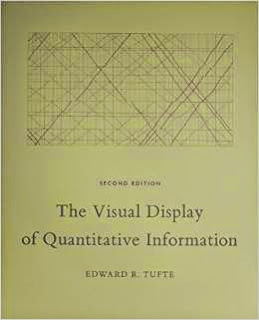
The Visual Display of Quantitative Information cover

Envisioning Information


Tufte warned the reader in the introduction of this book that the prose would be terse, and he wasn't kidding. Don't expect to read a detailed exposition on the design of charts here. The writing is minimalist, bordering on unbearable, but I guess that's the point. The graphics should speak for themselves, and for the most part, they do, although some of them were too small to read easily. I still felt the writing did the book a disservice because the stilted prose made it much less engaging than it could have been.

It's likely that I read this book out of order. I read it first, going by it's publication date, but I think it was actually written after Visual Explanations and possibly also The Visual Display of Quantitative Information (now on its second edition). I think it would have been better to read Envisioning Information after either of the other two books, or even not at all, because it's basically a quick summary of the principles of good chart design with a large number of examples. It's only 100 pages and took a couple hours to read through while examining the charts, and it felt like a series of review exercises for someone who had already been exposed to the material.

The book is split up into six concise chapters: Escaping Flatland, Micro/Macro Readings, Layering and Separation, Small Multiples, Color and Information, and Narratives of Space and Time. Each chapter contains an explanation of the idea and a number of charts and graphics that either exemplify the idea or show how its misuse can corrupt the presentation of data.

Each chapter covers important concepts to think about when designing charts, and in the first chapter, Tufte addresses the restrictions of the 2-dimentional page representing the 3-dimentional world with an analogy to writing. I definitely agree on the restrictiveness of text. Putting certain thoughts or descriptions into a linear sequence, and doing it well, takes a lot of focused effort. Reading explanations and gaining understanding from text is also difficult. Often you need to know many different things at once before you can truly understand a concept, but you can only read one sentence at a time. It takes an accumulation of knowledge before all of the concepts settle out and start to make sense. Designing charts is similarly difficult because charts are flat, but the world is not. Most of the time a chart is trying to distill a large multivariate system into a 2-dimentional representation that can't possibly show everything. The condensation of relevant details and the elimination of superfluous ones is part of what makes a good chart design effective.

A major theme of good chart design is the identification and removal of chartjunk—meaningless graphics and decorations that do not add in the least to the understanding of the data represented. Tufte maintains that charts should be data-rich and data-dense. Chartjunk takes up space that could be used for data at best, and it adds to confusion and distraction at worst.

While carrying the theme of reducing chartjunk through the rest of the book, Tufte covers how data can be layered to reveal new insights at multiple levels of detail, how repeated small charts with variations can bring out patterns through comparison, and how the judicious use of color, lines, and borders can greatly assist in understanding data.

One think I particularly liked about this book, and something that was true of all of his books, was the way his descriptions were always on the same page as the charts they were describing, and if need be, he would repeat a chart so the reader wouldn't have to flip pages to see both the prose and the chart. He even called out this practice at the end of the book:
Descartes did the same thing in his Principia, repeating one particular diagram 11 times. Such a layout makes it unnecessary to flip from page to page in order to coordinate text with graphic.
It's a very nice change from most other books I've read with graphics of any kind—programming and text books included—where graphics could be multiple pages removed from their descriptions.

Visual Explanations


While Envisioning Information was a set of examples presented in quick succession with little discussion, Visual Explanations was a much more engaging read with a smaller set of more focused examples and deeper analysis. All of the same concepts were covered and then some, and the format was much better.

In the first chapter, Images and Quantities, Tufte discussed the importance of correct scaling and appropriate labels to give perspective on charts and graphics. He cautioned that scale can be used to both illuminate and deceive, so you need to be careful how you use it. It's a fundamental concept that you see misused all the time.

Then the second chapter, Visual and Statistical Thinking: Displays of Evidence for Making Decisions, raised the bar with two great stories about the use of charts in the Cholera Epidemic of London, 1854 and the Challenger explosion. The careful analysis of cholera deaths charted on a map of London helped mitigate the epidemic, although it's debatable whether the removal of the water pump handle from the contaminated well stopped new incidents of the disease or if the contamination was already subsiding. Tufte had some words of wisdom on this matter:
... the credibility of a report is enhanced by a careful assessment of all relevant evidence, not just the evidence overtly consistent with explanations advanced by the report. The point is to get it right, not to win the case, not to sweep under the rug all the assorted puzzles and inconsistencies that frequently occur in collections of data.

He warns about the perils of data mining—searching for the best representation of the data to prove the desired outcome—and only presenting positive results.

In contrast, the poor presentation of O-ring data prior to the Challenger launch on that cold, fateful January day in 1986 resulted in a disastrous shuttle explosion. The discussion and analysis of both events was excellent, and the book is worth a read for this chapter alone.

Tufte did go a bit far in his criticisms of Richard Feynman and his makeshift experiment to demonstrate how the O-ring material behaves at cold temperatures by submerging it in a cup of ice water at a congressional hearing. Feynman obviously knows the difference between a careful scientific experiment and a theatrical demonstration, and I would give him credit for the effective use of the limited resources available to him to prove a crucial point. I'm sure he was well aware that he was in some part playing political theatre.

The next chapter used the field of magic to show how multiple layers of information can be represented with shading and outlines of objects behind other objects. Magic involves showing one thing to the audience while doing something different in the background. Teaching someone to do magic through pictures involves showing both of these perspectives at once, a valuable skill for representing multiple layers of data in a single graphic.

The rest of the book covered a number of other chart design principles, wrapping up with a chapter on many examples of graphics throughout history—some good, some horrible. This chapter went a bit long, and was not as clear and engaging as the rest. Still, it contained some useful advice on how to represent information in the form of pictures while telling a story in much less space than could be done with words.

The Visual Display of Quantitative Information


This book was my favorite of the three. It largely covered the same chart design principles as the other two books, but it went into more depth and the discussion was more organized. In this book Tufte methodically lays out what makes a good chart design and what will ruin otherwise good data.

He starts off with a nice exposition on the development of charts and graphics over time, and finishes the first chapter with a great summary of graphical excellence:
Graphical excellence is the well-designed presentation of interesting data—a matter of substance, of statistics, and of design.

Graphical excellence consists of complex ideas communicated with clarity, precision, and efficiency.

Graphical excellence is that which gives to the viewer the greatest number of ideas in the shortest time with the least ink in the smallest space.

Graphical excellence is nearly always multivariate.

And graphical excellence requires telling the truth about the data.
Those are the goals to shoot for when designing graphics, and the next chapter dives into an equally nice exposition on how to reveal the truth in graphs. This chapter concludes with another nice summary, this time of principles for graphical integrity:
The representation of numbers, as physically measured on the surface of the graphic itself, should be directly proportional to the numerical quantities represented.

Clear, detailed, and thorough labeling should be used to defeat graphical distortion and ambiguity. Write out explanations of the data on the graphic itself. Label important events in the data.

Show data variation, not design variation.

In time-series displays of money, deflated and standardized units of monetary measurement are nearly always better than nominal units.

The number of information-carrying (variable) dimensions depicted should not exceed then number of dimensions in the data.

Graphics must not quote data out of context.
After laying the foundation of graphical excellence and integrity, Tufte uses the rest of the book to show how to achieve these ends. I especially enjoyed the chapter Data-Ink Maximization and Graphical Design, where Tufte redesigns a number of different types of plots. Some redesigns I liked, some I didn't, but all of them made me think about why I preferred certain designs. His redesign of the histogram was pretty slick. He removed the chart border and tick marks, instead putting white lines through the bars themselves to mark grid values. It had a very clean look. On the other hand, I thought his redesign of the box plot with a new plot called a quartile plot—with its middle line offset from the line showing the extents of the data—was less clear than the original. I prefer a box plot with dots showing the max and min of the data set, a line going from the second to the third quartile, and a short cross bar at the mean. It's still minimalist while being much easier to discern the important qualities of the plot. Most of his redesigns don't seem to have caught on since this is the first I've seen of them in many years of looking at innumerable charts and graphs.

Throughout the book, Tufte seems to focus too much on increasing the density of information in charts. He advocates shrinking charts down to increase their resolution, and it gives the impression that higher density of information is always better. If a chart doesn't display more than a couple dozen values, he thinks that the data is better shown in a table than a chart. I somewhat disagree with this sentiment. While well-designed, high-density charts can be great for seeing patterns in complex data, simple charts can also be quite illuminating, and not everyone cares to squint to see them. A clean, organized chart of a dozen—or even a half dozen—values can make a point immediately obvious. A table of that same data would take more time and effort to discern the same pattern. Human beings are much better at pattern recognition of visual displays than of rows of numerical values, and the enabling of that recognition should also be a primary concern when displaying data.
Tufte wraps up the book with a summary chapter that brings the over-arching concepts of good design together with a few interesting final thoughts. He advocates a better integration of text and graphics so that they flow together seamlessly, with neither able to stand alone. Instead of referencing graphics in the text with "(See Figure 5)" and attempting to fully describe the graphics in the prose, we should use the text to tell the reader how to interpret the graphics and annotate the graphics directly with concise labels of important features. That's quite a diversion from how we learned to combine graphics and text in school, but it makes some sense. The goal is clarity and understanding, and a well-designed text and graphic combination will have those features without the constant referencing of the graphic in the text, often on a separate page. The information is most easily absorbed when important points are as close to the source as they can get.
Overall, I thought this book was quite good. Tufte covers the principles of chart chart design well, and he shows rather than tells the reader what he means with plenty of thoughtful examples. I would definitely recommend it to anyone who designs visual displays of data or wants to understand what makes a chart clear and effective.

Less is More


Despite the fact that these are all short books, with less than 500 pages between them and half of that being graphics, I wouldn't recommend reading all of them. They all cover the same topics, more or less, and reading them all gets fairly repetitive. The Visual Display of Quantitative Information is the most complete of the three books, and I would say the most engaging read. Even though I didn't agree with everything, it never failed to help me clarify my own thoughts, and if anything, that is the mark of a good book. If you really enjoy that book and want more, then go for Visual Explanations next. It covers most of the same material in a different way, and the in-depth examples of the Cholera Epidemic and the Challenger Explosion are a great read. Envisioning Information can safely be skipped since it doesn't cover anything new, and the material it does have is more superficial than the other two books. In this case less is more, and The Visual Display of Quantitative Information is enough.

The Best Steve Yegge Posts

Steve Yegge has a way with words. I like Stevey's Drunken Blog Rants (and plain Blog Rants) because he says things that need to be said in an engaging and entertaining way, and he takes the proper amount of time to say things without being too terse or dragging things out. Some people think his posts are too long, but I disagree. He goes into more depth and explores his ideas much more thoroughly than he could in a shorter format. I enjoy spending time on these topics, time that a short blog post wouldn't give me. In fact, I would welcome a book because the longer format would do thoughtful topics like Steve's even more justice.

Reading all of Steve's posts would be much like reading a book, although a somewhat disjointed one. Some posts wouldn't fit in at all. To get some feel for what a Steve Yegge book would be like, I've put together 15 of what I think are Steve's best rants. It wouldn't be a long book, taking only a night or two to read through, but the topics are good and it sticks to his more timeless writings. I reread them all for this post, doing one per day and really enjoying it. Each one of these posts is here because it's either an entertaining read or great food for thought, or both.

Nonesuch Beast

This post covers fundamental trade offs and irreducible complexity. Steve uses the example of a document management system and how a Wiki is good enough for most practical purposes. People want to use the simplest tool possible. They don't want to spend time learning something complicated when they run the risk of never using it again. It's a defense mechanism for pain minimization. Where things start to fall apart is when different people using the system want different things from it, so each user's feature requests add complexity to the system. He also goes through a second, more extended example of a general purpose metrics system, and comes to the conclusion:
Metrics systems, much like documentation systems, have a fundamental tradeoff: you can have a complex system with lots of features, or you can have a simple system with few features. But not both.
The solution he ended up with was to create custom systems from simple components to address the specific problem at hand.

Practical Magic

Wherein Steve ponders whether or not you should intimately understand the abstractions you use. It is a really hard problem. How much time do you spend understanding how your tools are built and how they work? There are arguments for both sides. Plenty of programmers are effective only knowing high-level languages and even higher-level frameworks while chalking all of the underlying technology up to magic. Other programmers make awesome stuff hacking away on low-level things, probably making the high-level languages and frameworks that everyone else uses. Knowing where and how your abstractions leak can save you when they break down and you have to work around the mess. Plus, I find learning and understanding how your tools work to be fascinating and well worth the effort for personal development.

Being the Averagest

Steve tackles the issue of programmers judging how good they are and how they can get better. One flawed way is for companies to create metrics for programmers that the programmers then proceed to dissect and game for all they're worth. Another one is the stack-rank method of rating programmers, and it over-simplifies a programmers worth by projecting all of a programmer's qualities onto a single 'goodness' axis. Turning to how a programmer should get better, he looks at how almost every other profession has methods of competition to incentivise people to practice and get better, while very few programmers practice. Programmers that don't practice or try to learn things they don't already know tend to think they know enough to do their job and there's no reason to learn more. If they need something new to do their job, they can learn it in real time. It's a case of not knowing what you don't know that could make you a much better programmer all the time, not just for some particular task. To overcome that attitude, you need to be cognizant of holes in your knowledge that could be potentially useful to know, and make an effort to learn those things. Then the hard part of actually learning and improving begins.

Ten Challenges

Steve wrote a top ten list of great books that every programmer should read. What follows is not that list. He also wrote a Ten Challenges list that puts forward ten books that you will have to chew on and struggle through to get the valuable stuff out, but they're completely worth it. They're all on my To Read list, and the first one I'll tackle will probably be the classic, SICP (using this great interactive site). Here's Steve's full Ten Challenges list:

Allocation Styles

Programming styles can be classified in the normal way as imperative, functional, or declarative, but they can also be classified as six different memory allocation styles. Steve's made-up allocation styles are allocation-free programming, buffer-oriented programming, collection-oriented programming, list-oriented programming, query-oriented programming, and pattern-match programming. He explains each style in detail, the trade-offs involved in each one, what problems are easy or hard when using each style, and which programming languages make the most use of each style. He hits on a lot of important points about problem analysis, optimization, and code organization. He also starts what becomes a long-running theme of Java-bashing.

Is Weak Typing Strong Enough?

This post starts out with a list of pros and cons of strong static typing, and by inversion, the cons and pros of weak dynamic typing. Strong and static typing are different concepts, but they're normally found together (likewise for their opposites, weak and dynamic typing). Strong and weak typing generally serve different development environments and create markedly different systems. Strong typing lends itself to large, rigid systems built from big up-front design, and weak typing is better for highly flexible, changing systems, especially prototypes. It turns out that most systems actually are of the constantly changing variety, and Steve lays out the reasons why he's converted to the weak typing camp. This point is especially pertinent:
Generally speaking, strong static typing has gotten in our way, time and again, and weak typing has never resulted in more "horribly bad" things happening than the equivalent strong-typing approaches. Horribly bad stuff just happens sometimes, no matter what approach you use.
Besides, the real reason big systems are only written in strongly typed languages may be because using strongly typed languages results in big systems. The same system written in a weakly typed language could be orders of magnitude smaller.

Tour de Babel

This is the post where Steve lays out what he thinks of a bunch of different programming languages. He covers C, C++, LISP, Java, Perl, Ruby, and Python. Notably missing are JavaScript and Haskel, but don't worry; he covers them often enough in later posts. C# is also missing, but I'm pretty sure it wasn't even a thing when this post was written and certainly wouldn't have been applicable to writing software at Amazon. This language tour is chock full of gems like, "If C is the closest language to modeling how computers work, Lisp is the closest to modeling how computation works." And "Java is simultaneously the best and the worst thing that has happened to computing in the past 10 years." Most of the commentary is related to the languages in use at Amazon at the time, and the pros and cons of using different languages to build Amazon's systems. Despite the narrow context, it's a fascinating read, and the points for or against each language are sharp and witty. The Perl section is especially good; well worth a read.

Blogger's Block #3: Dreaming in Browser Swamp

Steve tries to address the question of whether or not the browser is a platform. He also talks a lot about how JavaScript is eating the world (which it has) and takes quite a few jabs at Java (which he increasingly does as he continues blogging). He highly praises Ruby on Rails, and goes into extended detail about how well Rails handles the giant mess that was and is web browsers and web development. It's amazing to look back at this post from 2006 and see how far we've come with tooling and frameworks, and how far we still have to go. Some of the things he ranted about have been solved, but others are still big problems that need to be addressed. Who knows if web development will ever be truly elegant. Steve closes this post with an admission that some of the criticism he gets has been getting under his skin, and he thinks he'll write better if he ignores the comments. Seeing as this is the first of his posts that I thought was really good after he transitioned from Amazon to Google and went public with his blogging, he may have been on to something. He's still got a number of great posts in him.

Blogger's Block #4: Ruby and Java and Stuff

Another rant from Steve in his attempt to restart his blogging about the things he really wants to talk about, this post starts off with what I find is a very accurate assessment of Ruby. It's hard to talk about Ruby because it's so good that it just steps out of the way, and all you're left with is the problem at hand. He then rants about some of the Java framework libraries before getting to the real meat of his post—literals in Java. Java essentially doesn't have literals, except for a few basic types, and that creates some serious problems. The discussion is one of the best I've seen on why good literal syntax is important, and it brought up issues that I never thought about but run into all the time. I don't program in Java, but I do program in C and C++. They have similar issues with literals, although not quite as bad as Java. He also takes some good shots at OOP, showing that it's not the answer to everything. I think he was right, and more and more programmers are coming around to the realization that other paradigms, like functional programming, can also be very useful for classes of problems that OOP can't deal with.

Rich Programmer Food

This is the post where Steve tries to convince you of the merits of learning how a compiler works, and he does a pretty good job of it. I'm not only convinced of the merits, but every time I read it, I end up wanting to write one myself. I did write one in college for a toy language that looked vaguely like Java without 90% of Java's features, and it was written in Java. Now I feel like that didn't really count, especially because like Steve, I wasn't fully paying attention in that class. Now that I know more about how important compilers are, I want to explore them more thoroughly. If only I had the time. Anyway, the post goes through why compilers are important, what you can do with compilers (hint: it's not all machine code generation), and a bit about how compilers work. They generally have three phases: parsing, type checking, and optimization. Each phase is a world of its own, and the way Steve presents it makes for an interesting read. If you're at all interested in compilers before reading it, you'll be wanting to write your own compiler by the end. I warned you.

Portrait of a N00b

This is a very long post (and probably my favorite of all of his posts) about how programmers develop from beginners to experts and how they can handle looking at a higher density of code over time. The first half of the post focuses on how new programmers will over-comment their code while experienced programmers strip away most of the meta data (in the form of comments) and compress their code down so they can see more of it at once. When programmers from different ends of the spectrum end up on the same team, conflict ensues because of how differently they look at code and how different their needs are. I tried writing a similar post with many of the same points, but Steve presents the topic in a much more entertaining way, I think. Then he does some literary judo in the middle and ends up transforming the discussion about meta data into a critique on static typing. Inexperienced programmers will overuse comments and static typing in the same way, while experienced programmers don't need those things and end up getting much more real work done. I can definitely see my own perspectives on programming evolving along similar lines as I gain experience and learn more languages and language features, and the whole post really resonated with me. This summary in no way does the post justice. There is way too much good stuff in it. You have to read it yourself to get the full effect.

Dynamic Languages Strike Back

This post is a transcription of a talk that Steve gave at the Stanford EE Computer Systems Colloquium in 2008, and it's both really entertaining and informative about where dynamic languages were headed circa 2008. He talks about all kinds of issues that dynamic languages have (or will) overcome and plenty of myths held by people that haven't worked with them much. Certain problems, like the how-to-deal-with-millions-of-lines-of-code problem, are completely circumvented by dynamic languages because they simply don't have code bases with those problems. Steve goes through a ton of stuff in this talk. Don't let the beginning fool you. It's a bit rambling and loose at first, but once he gets going, things get interesting. You can see his love for programming languages here, and he is ramping up on the pro-dynamic, anti-C++ and Java language theme that his blog has had for some time. He gets into a fascinating discussion about how many of the dynamic language criticisms are also true of C++ and Java as well; they just aren't thought of in the same way because the issues crop up when using reflection or storing type information in databases or loading configuration information through XML files. It's a very good talk, although very long since it was an hour talk with a half hour of questions, but you should go read it instead of continuing to read about it. (By the way, after reading it again, I am reminded that I want to learn Erlang, or maybe Elixir, and of course, LISP!)

Rhinos and Tigers

This post is another transcription of a talk by Steve, this time from a talk at the Google I/O Conference in 2008, and like the last one, it is really long. That's okay if you don't mind reading. I love reading, and maybe because I'm more experienced each time I come back to it or I notice different things, every time I reread this post I learn something new. He starts off by explaining a bit about what Rhino is. Rhino is basically JavaScript running on the JVM. He goes into a great discussion about why you would want to use a VM, why you would want to use multiple languages that interoperate on a VM, and why you would want to use a scripting language like JavaScript. It's all great stuff, and he does an especially good job of excusing JavaScript of some of its ugliness. He pretty convincingly argues that in the end, its benefits outweigh its costs, and in hindsight, it looks like the right recommendation. JavaScript has really taken off over the seven years since Steve gave this talk. The most entertaining part of this epic post has to be the Static Typing's Paper Tigers section where he simultaneously rags on both Scala's and Java's type systems to great effect. After that things kind of tail off, mostly because it's more specific stuff related to Rhino and Steve's Rhino's Not Ruby pet project, and as far as I know, nothing really came of the latter. Still, this is a great post, one I keep coming back to when I need to read something fun and informative.

Done and Gets Things Smart

In this post Steve takes on Joel Spolsky's well known post and the book that resulted from it, Smart and Gets Things Done. He brings up a lot of good points about how it's extremely difficult to reliably find people that are smart and get things done, that there are actually a fair number of such people, and for a startup company, that is not actually what you want. You want people that are so good, they are actually Done and Gets Things Smart. Done in the sense that they get things done so fast that it only ever seems like they're finishing things and moving on to the next big task to knock down. Gets Things Smart in the sense that everything they touch gets much better in ways that you would never have even thought of. It's an interesting way to think about the truly exceptional programmers, and the big issue is how do you really find these programmers? You wouldn't ever know who they are unless you worked with them and experienced their incredible productivity and abilities for yourself. The challenge of recognizing, acknowledging, and hiring someone who is much smarter and better than you is not something most people are ready or able to do. It is a humbling and thought-provoking post.

The Universal Design Pattern

The final post I'll recommend is so long that it needed a table of contents. Here Steve describes and discusses the Properties Pattern, a.k.a. the Prototype Pattern, and he really goes deep on the topic. It's a very well put together post on the reasons for the pattern, most of the issues that come up when implementing the pattern, and a number of examples of the pattern in the wild. Probably the most commonly known instance of the Properties Pattern today is JavaScript, with its prototype-based inheritance system. Much of the post is, in fact, describing the details of the JavaScript language including how it implements its key/value pairs, how it deals with inheritance, and what the performance issues are. He also touches on transient properties, persistence, and type systems. It's a great read—another one that I learn more from every time I come back to it—and like most of his posts, it leaves me with the desire to read a book. This time it's Douglas Hofstadter's Goedel, Escher, Bach: An Eternal Golden Braid, also from Steve's Ten Challenges post. I'll definitely have to give that one a look.

Steve covered a lot of ground not only in these 15 posts, but in all of his blogging. I thoroughly enjoy reading and re-reading his stuff because he has such an entertaining writing style and I learn new things every time I come back to it. He has a couple overarching themes to his posts that resonate quite strongly with me. First, he is passionate about learning to make yourself a better programmer through thorough research and study, especially by reading good books. I completely agree, and I appreciate how that sentiment comes through in his writing. Second, he believes strongly in good tooling for programming and in constantly striving to improve those tools and languages that we use every day. We're never going to have the one programming language to rule them all, but we can keep making them better and better. Every time I read his posts, I get a renewed interest in learning new languages. Now if you'll excuse me, I have a book I should be reading.