Search This Blog

The Quandary of Working With Legacy Code

I have a dilemma. That dilemma involves choosing what to do with the legacy code I'm working on. I have a pretty loose definition of legacy code - basically any code that has been checked into the repository qualifies. If it's been committed, then it becomes someone's responsibility to maintain it, and that makes it legacy code for all intents and purposes. In my case, that maintainer is me alone. At the company I work for code gets split pretty cleanly along microprocessor and microcontroller boundaries, and the code communicates through a variety of serial interfaces. That's not what defines this situation, though, and since dealings with legacy code has as many contexts as there are code bases, knowing the particulars of this situation is important for understanding the dilemma.

This particular code is a small web server that sits on an embedded processor and uses an on-board WiFi chip to connect to a client and serve a small set of dynamic web pages. Since the code base is only about 6 KLOC, it's easily manageable as a side project for one person. Most of the original C code came from TI's example web server app, and I tore out the functionality we didn't need and added other functionality that we did need. The issue I'm having now is deciding whether or not to do a more extensive refactoring of this code, and possibly convert it to a C++ class architecture in the process.

What, Exactly, Is The Problem Here?


There are a number of problems with the code at a number of levels that make me want to do this refactoring, so let's run through them briefly. First, there is no consistent naming convention. Sometimes Hungarian Notation is used, and sometimes not. When it is used, it's not the good kind of Apps Hungarian Notation, but the obnoxious kind of Systems Hungarian Notation. And even then it's only used partially, with numerous variables prefixed only with a 'u' for unsigned, but no other type definition. Function names are ridiculously long, like HttpDynamicHandler_GetBasicUnitInfo(). Many variable names are nearly as long, and end up being longer after the huge chains of struct member accesses are written out.

Then the code and comment formatting is haphazard with many variations of tabs and spaces and block comments and line comments with most commenting restating what the code does. Type declarations are totally inconsistent with such things as int, uint32, and unsigned long used for the same variable at different levels of function calls, or sometimes using typedef struct {...} <name> and other times using struct <name> {...} for struct definitions. This makes the variable typing look more than a little disorganized.

On top of the long names, the functions themselves are mostly long, untestable messes of for loops, while loops, and if-else chains running on for hundreds of lines. It is readily apparent that most of those useless comments are marking suitable places to break the code up into shorter, more manageable functions. Unit testing is further complicated by many static functions that restrict access to calling those functions from outside their compilation unit.

Finally, the overall architecture of the code is somewhat disorganized. After drawing up a quick UML class diagram and substituting structs and files for what would otherwise be classes, it became pretty obvious that some files should be broken up into smaller, more focused units, and some reorganization would make the architecture much cleaner and more maintainable. If the code was also converted to C++, it would easily transfer to classes and many of the long names that were carrying the responsibility for defining the purpose of functions would be cleaned up in the process. I'm not saying that a conversion to C++ is necessary to make this code clean, but it was clearly written in a way that is more in line with the class structure of C++ instead of the procedural structure of C. The conversion would be quite natural.

Well, Then, What To Do About It?


For any programmer that's worked with legacy code, these problems are very familiar. Maintaining consistency is hard, and over time functions seem to accrete more and more logic until they become unbearable rat's nests of code. Even though I try to leave things better than I found them, and every time I add features or fix bugs in this code I try to make it a little bit better, that won't be enough to even begin to address the problems with this code.

To put things in perspective, the main code base that I'm responsible for was another example of code with all of these problems, and it's about five times more code. I didn't hesitate to refactor all of that code and convert it to C++, so why would I be second guessing that choice this time around when it amounts to a much smaller task?

Every situation is different, and it is important to weigh the pros and cons of such an arduous decision as transforming a code base, no matter how small. From my ranting about the poor quality of the code, you may think that only good things could come from paying down this technical debt, but I'm not so sure.

The Pros And Cons of Refactoring


The biggest thing this code base has going for it right now is that it is working. By that I don't mean that I'm afraid to break something. Quite the opposite, in fact. Even though there are currently no unit tests, or automated tests of any kind really, the system is so focused and self-contained in what it does that a simple manual test is all that's needed to see if it's working. All I have to do is access the embedded device's IP address from a browser and make sure the web page graphs the real-time data it's acquiring correctly.

No, the advantage of the code already working is that nothing else has to be done to get it working. Most of the code hardly changed while I was adding and removing features, and the areas that need to change to add more features are well defined and quarantined. Even though the code is a mess, and it offends me to my programmer's soul when I have to look at it, it is fairly easy to change what I need to and move on.

But I have had to look at that dirty code a lot lately, and every time I try to ignore the mess, the pro-refactoring part of my brain cries out in agony. Cleaning up the code would make it so much more liveable, and that is worth something. I have a couple of young kids at home, and some days it seems like they make it their mission to destroy the house Tasmanian Devil-style. After my wife and I have finally gotten them to bed, we rarely have the energy to clean the house, too, and the mess will live on until the weekend. It shifts and changes like some slow-moving monster that's consuming every square inch of floor space in the house.

Looking at that kind of mess is mentally taxing, and it quite literally exhausts you. When the weekend finally rolls around, and if we happen to be home for a couple hours, we can buckle down and put everything back in its place. The feeling of a clean house after all of that chaos is like a dark cloud has been lifted from my mind, and it becomes much easier to think and more pleasant to be in the house. Cleaning up a mess of a code base can give you much the same feeling with the added benefit that it doesn't so easily revert to its chaotic state after another rousing day of playing princesses and soldiers (don't ask, kids are creative).

Another benefit of refactoring the code is that it would become much more testable, so unit testing could be drastically improved for much better peace-of-mind. This benefit is slightly circular because it would be a good idea to implement some amount of automated testing before doing the more extensive refactoring to make sure that all is still well with the code. The first tests would likely be integration tests because unit tests are currently so difficult to implement, but some amount of testing should be put in place to enable safer refactoring. Then more testing could be added in the form of unit tests as functions were split up and put into classes with the relevant data.

That sounds like a lot of work, and it probably is. That begs the question of whether or not those benefits are worth the cost, and that is not at all clear to me in this case. With the other code base I maintain, it was obvious that I would be living with it for a long time since I started with it on a previous product, was able to migrate it to the current product we're working on, and plan to use it again on the next major product we do. I'm getting a lot of mileage out of the work I put into that code to clean it up, and I knew that I would so it was clearly worth it before I started.

With this embedded web server code, it's possible that it will be a one-off application. I'm not sure yet, but if it is, then it may not be worth putting in all of that extra work for it to only sit in a microcontroller on the daughter board of this one product. That time and effort may be better spent elsewhere.

Now You See My Dilemma


This quandary of working with legacy code must be as common as sand on a beach. The code is a disorganized mess that could be easily improved with some concerted effort, but it's currently working. If the code still has a long life ahead of it, it may be worth it to clean it up and make it more liveable. Making it testable and adding automated tests has clear benefits, but what if all of that infrastructure and testing was put in place and never used? And then there's always the intangible benefit of having a well-engineered piece of software, the practice and learning that took place while building it, and the satisfaction that comes with finishing it.

Do the benefits of refactoring outweigh the costs in this situation? Can you even know with any certainty? I'm not at all sure, and I don't have to worry about the impact on other developers in this case. But I'm itching to rename that HttpDynamicHandler_GetBasicUnitInfo() function to CDynamicRequest::GetBasicUnitInfo() anyway.

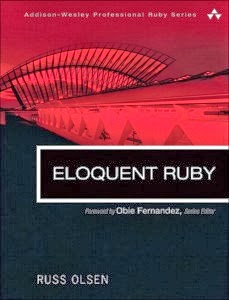
Tech Book Face Off: The Ruby Programming Language Vs. Eloquent Ruby

I feel like I'm coming a little late to this party. The excitement over Ruby seems to have peaked years ago, and now all the talk is about things like Scala and Node.js. I don't mind, though. I figure it's never too late to learn a new language, especially one as beautiful as Ruby. Besides, Ruby is in very active development, with the 2.0 version of the language having been released this February, and a lively and helpful community to support it. I would say that if you've been putting off learning Ruby, now is a great time to finally take the plunge, and here are two books to help you on your way.

The Ruby Programming Language front cover VS. Eloquent Ruby front cover

The Ruby Programming Language


This book was written by the same David Flanagan that wrote the excellent JavaScript: The Definitive Guide that I reviewed months ago, and it was co-authored by the inventor of Ruby, Yukihiro "Matz" Matsumoto. It was written in a similar no-frills, straight-to-the-point style that I once again enjoyed and appreciated immensely. When learning the ropes in a new programming language, I want to see a well organized presentation of the features with clear, concise examples and crisp, direct explanations of those features. No games or gimics, please; just the facts. This book delivers exactly to those expectations.

Overall, I would say the book was very easy to read and understand. That could just as easily be said about the Ruby language itself, of course. The flexible syntax and the ability to write programs that read more like natural language than most other programming languages is really appealing. While playing around with solving some basic algorithmic problems in Ruby, I was impressed with how easy it was to express the solutions in the language in nearly the same way that I was thinking about solving them in my head. And Flanagan and Matz did a good job of showing all of the language features in a way that I could pick up quickly and use right away. They methodically explained all of the features and concepts in a nice, logical order.

That is not to say that there weren't a few rough spots. Things got a bit hairy with enumerators and external iterators, and then again with class variables and class instance variables. This was only partially because these concepts didn't click for me right away. After backing up and reviewing those sections, I understood the syntax and what was going on well enough. The main issue with enumerators is that I don't really see when you would want to use them, but I suppose being aware that they exist is the important thing at this point. Beyond that it's a case of "you'll know it when you need it."

With class variables and class instance variables the problem was more of knowing when to use one instead of the other, and Flanagan and Matz didn't get into that much at all. It would have been out of character with the rest of the book, but that's alright because the subject of when and how to use Ruby's language features was pretty much the next book's reason for being. As for The Ruby Programming Language, it was a great introduction and overview of Ruby for an experienced programmer. I highly recommend it to any programmer ready to learn a new and fun language.

Eloquent Ruby


Russ Olsen goes in a completely different direction with Eloquent Ruby. I'm not sure if you would be able to learn Ruby if this book was your only resource. At the very least you would need to refer to the documentation quite a bit when you were starting out. But this book will teach you how to use Ruby to solve real problems and why you would write programs certain ways to be more effective. In short Olsen teaches you how to write idiomatic Ruby.

I thoroughly enjoyed reading this book. I don't think I've had this much fun reading a programming language book since, well, ever. It was like reading The Pragmatic Programmer, but for a programming language instead of general programming practices and processes. Olsen was conversational and engaging, and he really helped me understand how to write good Ruby code. He covered everything from the use of different control structures to writing specs, the use of class instance variables, the various uses of method_missing, creating self-modifying classes, and implementing DSLs (domain-specific languages).

The book is packed with all kinds of useful information in a nice, readable format. Olsen starts out with more basic, general concepts like code formatting and comment style and moves progressively into more complex topics, culminating in a series of excellent chapters on metaprogramming and DSLs. Each chapter addresses one self-contained topic about Ruby programming and includes sections on how to avoid common errors and pitfalls, and what real implementations of the topic under discussion look like "in the wild." This format ends up working really well, and I found the pace extremely easy to follow. It was very understandable, and I learned a ton.

I do have a few quibbles about parts of the book, though. Sometimes his reasons for things like commenting lightly or writing short methods seemed a little weak. It's not that I disagreed with his recommendations. In fact, I mostly agree with him, especially about restricting comments and letting the code speak for itself. But I thought he drew out his arguments a bit too long and included points that ended up sounding like, "You should do it this way because that's the way the Ruby community does it." I found myself disagreeing with some these minor points even though I agreed with the overall premise, and that was distracting. His arguments would have been stronger if he had tightened them up a bit and left out the weaker claims.

Another minor annoyance was the footnotes. I really don't understand why he felt the need to include these when they were nearly entirely useless to the reader. Every time I jumped to a footnote hoping for a little extra insight, and instead was confronted with flippant comments like "Try as we might" or "Yet," (seriously!) I was reminded that I really shouldn't be wasting my time with these footnotes. I still read them all because I couldn't help myself, but I guarantee that none of them were essential. Sure, there were a few clarifying points, but if they were so important to include, they should have been integrated into the text instead of cordoned off as footnotes. However, I didn't see any of them as critical, and you're really not missing anything by skipping them. Trust me, I read them so you don't have to.

Thankfully, those two minor drawbacks can be easily ignored, and the book doesn't really suffer for them. There is so much good material in there that I highly recommend Eloquent Ruby to every Rubyist. It will help take your programming to the next level, and give you plenty of ideas for how to write better Ruby code.

Ruby: The Language


So what about the Ruby language itself? I have to say that it is great fun to program in it. For someone who has spent more than a decade writing mostly in C++, writing in Ruby gave me the distinct feeling of being set free. It also pleasantly reminded me of my early programming experiences with Logo with many moments of youthful excitement and awe - as in, "wow, you mean you can really do that? Awesome!"

I'd like to do a rundown of some of the basic features of Ruby compared to C++, similar to what I did in my JavaScript book review, to show you how Ruby compresses code. Let's start out again with a few simple variable declarations in C++:
int samples[] = {1, 2, 3, 4, 5, 6, 7, 8, 9, 10};
int sum = 0;
double mean = 0.0;
And the same declarations in Ruby:
samples = [1, 2, 3, 4, 5, 6, 7, 8, 9, 10];
sum = 0;
mean = 0.0;
Nice! Ruby doesn't even need the 'var' keyword in its variable declarations, like JavaScript does. On a variable assignment, it searches for the variable symbol, and if it doesn't find it, Ruby conjures it into existence right there. So easy.

Now let's go a bit further and do the calculations hinted at by those variable names. First in C++:
sz = sizeof(samples)/sizeof(samples[0]);
for(int i = 0; i < sz; i++) {
  sum += samples[i];
}
mean = sum/static_cast<float>(sz);
And then in Ruby:
sum = samples.inject(:+)
mean = sum/samples.size.to_f
Seriously, that is not even funny. Look at how clean that is! You can actually inject an operator into a collection and it just works. 

Alright, let's say you want to create a quick object to hold some data on your pets. In C++ you'd have to at least create a struct and instantiate it. That would look something like this:
struct Pet {
  string name;
  string type;
  string breed;
  int age;
  double weight;
}

Pet myPet = {"Twitch", "cat", "Siamese", 10, 8.4};
And then there's Ruby:
myPet = {
  name: "Twitch", 
  type: "cat", 
  breed: "Siamese", 
  age: 10, 
  weight: 8.4
}
This isn't an object literal like it is in JavaScript. It's actually a hash, but since objects are implemented as hashes in JavaScript, this is basically the same thing in Ruby. Now let's say we wanted to make the pet more permanent as a class. In C++ you might do this:
class Pet {
private:
  string _name;
  string _type;
  string _breed;
  int _age;
  double _weight;
public:
  Pet(string name, string type, string breed, 
      int age, double weight) {
    _name = name;
    _type = type;
    _breed = breed;
    _age = age;
    _weight = weight;
  }
}

Pet myPet = new Pet("Twitch", "cat", "Siamese", 10, 8.4);
You might want to include setter and getter methods for any of the members (class variables) that you'd want to change later, but I'll omit those for brevity's sake. I'm also not including any error checking code that would be required, like making sure the age and weight are within reasonable bounds. Now here's the equivalent Ruby:

class Pet
  def initialize(name, type, breed, age, weight)
    @name = name
    @type = type

    @breed = breed
    @age = age
    @weight = weight
  end
end
myPet = Pet.new("Twitch", "cat", "Siamese", 10, 8.4);
The '@' symbol marks a variable as an instance variable, and they come into being on the spot, just like other variables do. The admittedly small amount of Ruby I have shown here is fairly comparable to JavaScript, but as you get further into Ruby, you find that it goes well beyond JavaScript in its ability to express programs cleanly and compactly, and C++ is left in the dust. Yes, C++ definitely has its uses, and dynamic languages can't hope to compete with it on speed. But Ruby has an enjoyment factor in its expressiveness that clearly outshines C++.

So About Those Books


It's difficult to say whether The Ruby Programming Language or Eloquent Ruby is a better book. They are both excellent and serve distinctly different purposes. If you want to get started in Ruby quickly, and you already have a programming background, then you can read the first half of The Ruby Programming Language and be good to go. If you're already familiar with Ruby, but you're unsure of the best way to use certain language features or want to learn more idiomatic ways of solving problems in Ruby, then Eloquent Ruby is the book for you.

The Ruby Programming Language makes an excellent reference when you need to look something up, and Eloquent Ruby is a great read for when you want to improve your programming style. They each have their strengths and are targeted for different audiences, or the same audience at different points on the Ruby learning curve. They make a great combination, but one thing neither of them is good for is the novice programmer. If you're starting out learning to program, I think Ruby is a great first language to learn because it is so clean, flexible, and accessible, but these two books are not going to introduce Ruby in a way that a beginner can use. For the aspiring programmer, you'll have to find resources that introduce things at a slower and more careful pace.

For the rest of you programmers out there with a desire to learn or improve programming in Ruby, these two books are definitely worth checking out. They've certainly earned a spot in my library.

What Can Golf Teach Us About Programming?

Golf ball teed up with driver

Golf is a game of accuracy and patience. You start with a little ball slightly bigger than one and a half inches in diameter, and you have to sink that ball into a hole barely more than two and a half times its size that lies hundreds of yards away using only a set of clubs. The less strokes you can do it in, the better, and once you've done it, you get to do it all over again on the next hole. That sounds like an apt metaphor for software projects if there ever was one.

On a software project, you start out far from your goal, the finished product. You may not be able to see the goal when you start, but there are markers and flags along the way leading you in the right direction. Mistakes can send you off in the rough (or worse), and it takes extra time to get back on the right path. There are also plenty of obstacles, traps, and hazards to deal with. In golf, when you get into trouble, the best thing you can do is get back to the fairway. Taking risky shots from bad positions can make a bad situation much worse, and you may never recover, so get to safety first instead of trying to be a hero.

Another place to keep it calm and not try to be a hero is on the tee. We all love grabbing our big driver and taking a monster swing to crush that ball into oblivion, but we're more likely to put the ball much closer to the hole and on the fairway if we take a nice, smooth, easy swing. Have you ever noticed how professional golfer's swings look so effortless, yet they can hit the ball a country mile while maintaining accuracy? That ability comes from great technique and control, not from brute strength. When you try to kill the ball, you're only succeeding in killing your swing with a loss of control. The ball may very well go far ... into the woods. Save the monster swing for the driving range where you have the ability to experiment and hopefully gain some control over it with practice.

The same can be said for software projects. If you try to hammer out hundreds of lines of code in one shot, you may feel like you're making great progress, but you could end up far off course and no closer to your goal. Take it easy. Code a little, test a little. Talk to your customers frequently. Get some feedback so that you know when you're veering off into the trees and can make corrections early.

While you're making those corrections, you can think about your approach. In golf you start out with long shots that cover plenty of distance to the hole, but as you get closer, you use shorter clubs and the shots get shorter and more accurate. More than half of your shots in a game of golf will be taken on and around the green. That means that 90% of the distance to the hole is covered by half of your strokes, and the last 10% of the distance takes the other half. That characteristic should sound very familiar to software engineers, where projects are estimated to be 90% done when you're only halfway through the schedule. Amazingly, that last 10% takes the other half of the time.

Because of this 90/10 property, you can improve your golf game more dramatically by shaving strokes off of your chipping and putting game than you can by adding 50 yards to your drive. Being 100 yards from the green isn't that much better than being 150 yards from the green, but if you can easily sink 10-foot puts, you're going to have lots more opportunities for a lower score. Could the same be true in software projects? If you improve the testing, bug fixing, and tweaking that goes on before releasing a product, that could have as much if not more of an impact on schedule than improving on the initial prototyping and coding at the beginning of the project. Of course, like teeing off, initial prototyping is the fun part. Who wants to spend all of their time practicing putting, am I right? Well, the golfer that nails more puts generally wins more games.

Another aspect of golf is the wide variety of clubs at your disposal. Every club has a job that it performs best, and sometimes the choice of club can make or break a shot. The driver is made specifically for hitting long shots off of a tee. The woods are good for long shots off of the fairway, but don't work well in the rough. The irons can get the ball up and out of the rough better, but can't hit the ball as far as the woods. Hybrids attempt to combine the best parts of the woods and irons, but they have their own compromises. The wedges work well when you get closer to the green, and they can help get you out of bunkers and tight spots. The putter, of course, is the club of choice on the green.

To master the game, you have to become proficient in all of these clubs and know when to use each one. Likewise in software engineering, you will become a much more productive programmer if you learn more tools and learn them well. Every programming language, library, API, or utility is another club in your bag. Take the time to learn their strengths and weaknesses and in which situations to use them to the best advantage. No tool is perfect for every situation, and using them in the right context will make you much more effective as a programmer.

As you're trying to improve as a programmer, you can keep a golfing practice tip in mind. Consider how much there is to think about when trying to improve your golf swing. There's your posture, your grip, your stance, and your line-up to the target for starters. Then during the swing there's the backswing, the downswing, ball contact, and follow-through. The whole swing involves timing, tempo, and rhythm. And for heaven's sake, make sure you keep your head down and your eye on the ball while you make contact with the club face. There is no way that you can be thinking about all of those things during the two seconds that it takes to swing the club.

So don't. Focus on one thing at a time. During your swing, you should be thinking about only one aspect of your swing. If you try to practice even two things at once, you're going to do both of them badly, and you won't get anything out of your practice. If you stay focused and improve on one thing until it becomes second nature, then you won't have to think about it anymore, and you can move on to something else. The same strategy works well in software engineering. Pick one thing to learn and then learn it. Don't split your time and attention over too many things or you won't make progress on any of them. If you concentrate on one thing at a time, you'll learn it faster and actually make use of it more often because you'll know it better.

Here's one last thing that becomes painfully obvious in golf. No matter how good you are, there will be things about almost every shot that you wish you could have done better. Sure, there will be the occasional shot that feels and looks awesome, but it's those great shots that make you believe that you can do better on all of the others. You are not alone. I've read about professional golfers - golfers that have won Master's Tournaments - that say they think 80% of their shots are crap. They thought they could do better than they did on that many of their shots, and they are the best golfers in the world. I'm sure they practice every day to improve on those shots where they felt they came up short. Remember that - there's always room for improvement.

Software Practices to Develop By

Software development is hard. The amount of information you need to know to be effective in any area of software engineering is staggering. And the amount of new information coming down the pipe can be overwhelming. Whether you're doing web services programming in the cloud or embedded software programming for micro-controllers, you should know at least one programming language well, and probably more than one to be really effective. There will be some set of libraries and frameworks to know, and the more you know, the better choices you'll be able to make regarding which ones to use for a given design.

You should know a good software development process, likely something agile. Then there's your development environment: the OS, an IDE or text editor, compilers, build automation, bug tracking, version control, unit testing, etc. You should have deep knowledge of all of these things. Depending on your application domain, you'll need to know about digital signal processing, power management, statistics, probability, user interfaces, user experience, networking, databases, control systems, discrete mathematics, graph theory, and the list goes on. Believe me, that's only a very small, partial list, and don't forget the actual domain-specific knowledge for the field in which you're writing software.

The set of knowledge that a software engineer uses is vast and unique to each programmer, and if you're keeping up on personal development, you're adding new layers to it all the time. However, I've found that there's a short list of development practices that stays fairly constant throughout the years, even with new languages and frameworks and tools appearing every week. This list may be different for you. Heck, in the future it may be different for me, although probably not by much. Up to this point in my career these practices have served me quite well. They're the concepts I think about every day while I'm designing and programming, and while tools and frameworks continue to change, these have largely stayed the same. They are the stalwart knights of my programming days.

DRY: This principle comes from The Pragmatic Programmer, and it stands for Don't Repeat Yourself. I'm sure I don't have to go into too much detail here because any programmer worth his salt already knows it. For anyone that doesn't, stop reading this right now and go get a copy of The Pragmatic Programmer. Read it. DRY is the essence of programming. It's deceptively simple to understand in theory, and wickedly hard to implement in practice. I am constantly thinking up and trying new ways to achieve the ideals of this principle.

KISS: Software engineering is hard enough as it is without us over-complicating our designs and our code. I always aim to Keep It Simple, Stupid. Another way to keep this idea in mind is to aim to do the simplest thing that could possibly work. Don't try to dress up a simple solution in a big, frilly frock of design patterns and UML diagrams that it doesn't need. Do only what is necessary to solve the problem at hand, and no more. Over-design is a house of cards, and if you can barely understand it when you're building it, it will all come crashing down when you're trying to maintain it six months from now. Do yourself, or the next programmer that has to look at your code, a favor and write it as cleanly and concisely as possible, and keep it simple. You'll get more done, you're more likely to get it right, and you're more likely to understand it later.

YAGNI: Closely related to KISS, YAGNI is the principle of You Aren't Gonna Need It. That multi-level inheritance hierarchy for implementing unspecified future features? You aren't gonna need it. That quadruple redundant, auto-recovery, exponential hold-off protocol for messaging between micro-controllers? You aren't gonna need it. That SaaS API for your new meeting software in the cloud? Seriously, you aren't gonna need it! At least, you don't need it yet. Get the stuff working now that needs to be working now, and save the stuff that you could need later for later. Sure, you can think a bit about how you would add future features if you really think you're going to need them, so you don't completely paint yourself into a corner from the beginning. But there's a big difference between planning for future expansion and actually erecting all of the scaffolding and roughing in the architecture. Do the former, not the latter.

Occam's Razor: There are many formulations of this principle, many coming from philosophers and scientists other than the one for whom it is attributed to, William of Ockham. The one that I learned and prefer, but cannot find a reference to is, "in the absence of contradiction, the simplest explanation is best." I use this principle mostly as a guide in troubleshooting and debugging, but also in general problem solving during design. "Best" can mean everything from most correct to most useful to most desirable. If you're trying to figure out why a build is broken, it's much more likely that it was due to some recently added code with a bug in it than a latent bug that happened to surface now. It's still possible that it could be the latent bug, but I definitely wouldn't start looking there. I would start with the most recently checked in code. Occam's Razor is surprisingly versatile, and I find myself using it constantly.

Amdahl's Law: Formally, Amdahl's Law states that "the speedup of a program using multiple processors in parallel computing is limited by the time needed for the sequential fraction of the program." That's quite a mouthful, but basically it means that your program can only be as fast as its slowest component. Another way to think about it in the context of optimizing a program for performance is that you're going to get the greatest speedup from the part of the program that takes the longest to execute. Sounds obvious, right? So don't spend your time optimizing esoteric features of a program that only rarely execute or processes that happen in parallel with long-running IO or database operations. If your program is spending 40% of its time doing something that the user is waiting for, focus on that instead.

"select" Isn't Broken: Here's another one from The Pragmatic Programmer. This time the authors relate a story about "a senior engineer [who] was convinced that the select system call was broken on Solaris." Don't fall into this trap. Sure, it really looks like you're using that library function correctly. You've looked over your code dozens of times and you are positively convinced that it is doing what it's supposed to do. It must be a bug in the library. No, the compiler is making a mistake when optimizing this code section. No, there's a bug in the processor that I have to work around. Stop, just stop already. Do you really think any of those systems that have seen orders of magnitude more use and abuse than your code are all that bug-ridden? Take another look at your own code. The bug is almost certainly there. In a milder form of this practice, you should always assume the bug you are seeing is your own fault. Inspect your own code as thoroughly as you can before trying to blame it on a coworker's code. You might save yourself some embarrassment.

Don't Let Standards Make You Stupid: I don't have a link for this one because I haven't seen this idea wrapped up into a pithy phrase, yet. Instead, I made up my own. The idea is that while standards are generally a good thing, they should not preclude you from thinking about the problem at hand and solving it in the best way possible. Standards can add some uniformity and consistency to programming and offer known solutions to common problems, but standards can also go to far. They can become rigid structures that mask over issues that are unique to particular problems that require their own creative thinking. Make sure to balance out a hefty set of standards with an eye for exceptional circumstances where those standards don't apply. And then use your brain.

Do Not Reinvent the Wheel: A good way to avoid this problem is to watch out for its main symptom - NIH. If you find yourself implementing basic string processing algorithms or building your own data structures, you could be reinventing the wheel. Try spending a few minutes looking around public code repositories or even your language's standard library to make sure you're not wasting your time writing code that's already been written hundreds of times before, and will likely perform better than yours because it's already been extensively tested and optimized. There is some need for balance here because if your problem can be solved quickly with a few short methods or a small class or two, it may take longer to find, adapt, and verify someone else's code instead of rolling your own. On the other hand, if the solution comes from a well maintained framework with a good API and documentation, you can benefit from future updates to the framework. And now that you know it exists, you can reuse it in other projects. In any case, try to find the best way to solve your problems without blindly resorting to writing more code.

Rubber Duck Debugging: This is a method of debugging where, when you get completely stuck, you turn to the rubber duck sitting on your desk, and ask it for help. You have to explain your problem with enough detail that the duck will be able to understand the problem and offer a solution. Quite often the act of constructing a well-formulated question will reveal the solution, all on its own, and that is the point of the exercise. If not, then perhaps the duck will miraculously tell you the answer after all. I wouldn't depend on that, though. For more information on this excellent problem solving method, I'll point you to Jeff Atwood.

Bedtime Debugging: Here is another practice that hasn't been phrased as such, but is very commonly recommended in various ways. It could also be called shower debugging, or brushing-your-teeth debugging, or go-for-a-walk debugging. The idea is to work on the problem as much as you can. Give it a good effort, and if you get stuck, tuck it away in the back of your mind and go do something mindless. You're subconscious will continue mulling over the problem, and then when you least expect it, the solution will pop into your head. When I use this technique, I normally don't immediately turn to doing something mindless when I get stuck. I'll put my current problem aside and work on something else. Because my mind is otherwise occupied, those latent solutions normally don't come to me right away. They turn up as I'm falling asleep at night. This happens so frequently that I've learned to task switch as soon as I run out of ideas for my current problem, instead of staring blankly at the computer screen for hours. It can be frustrating to leave a problem unsolved, but I could also waste a lot of time fighting for new ideas without making any progress. I know I'll figure it out when my mind is calm and relaxed that night, and I'll make more progress the next day.

Leave It Better Than You Found It: My last software practice comes from many years in the Boy Scouts. My scoutmaster was an adamant proponent of Robert Baden-Powell's advice to "leave this world a little better than you found it." In scouts that meant cleaning up trash when you saw it, leaving campsites in better shape than when you arrived, and generally being a good caretaker for mother nature. That lesson has stuck with me in software engineering, and when I'm working on a piece of code, I try to leave it better than I found it, too. I take the time to refactor when I'm changing code so that variable names are more self-explanatory, methods are shorter and more understandable, and code formatting is more consistent. I don't go hog-wild, rewriting every file I touch, but if I see something that looks out of place, I'll take the time to make it a little bit better for the next programmer.

That brings my list of good software practices up to eleven. Maybe that's not such a short list, but they are things I use everyday. I've found them all immensely valuable, and maybe you will, too.

Programming Is an Endeavor, Not a Race

It seems obvious that the field of programming is an endeavor and not a destination to be reached. The technology and best practices are always changing, sometimes at an alarming pace, and keeping up with that rate of advancement requires a constant commitment to personal development. That means that good programmers are always learning, yet I read internet discussions all the time that attempt to separate novice programmers from experienced ones and argue in favor of one or the other.

The advocates for the novice programmer appeal to the need for training, mentoring, and standards to help the novice programmer become productive, protect the team from mistakes the novice would make, and generally expedite the process of getting the novice to an expert level. The advocates for the experienced programmer argue that such measures waste the expert programmer's time with endless distractions and stifle their creativity with rigid coding guidelines. The novice programmers complain that the experts are aloof and won't give them the time of day, while the experienced programmers claim that the novices don't care about learning the best way of doing things or are incapable of comprehending their advanced code. Therefore, teams should be made up of only the best programmers to be successful.

Certainly, I'm oversimplifying the ongoing argument here, but this is the general form that I see it take, time and again. I see a lot of validity to both sides of this argument, especially when considering that everyone has their own perspective coming into the debate, and their points are certainly true for their own experience. It seems to me that they are all right, and at the same time they are all wrong, because the framework of the argument is wrong.

The major flaw comes from assuming that programmers can be categorized as either novice or experienced and that there should be any tension between them. In reality, programmer skill is a continuum, and there is no definite point when someone transitions from a novice to an expert or to any intermediate skill levels that you could come up with. We all started out as novice programmers at one time, and now we are all at different points on our learning path.

New programmers are entering the field every year as people take their first programming class or discover a book or online tutorial that introduces them to programming. That will still be true in 10, 20, or 30 years from now, and we need these new programmers because at least some of them will become tomorrow's great programmers. They won't be able to write great code to begin with, and some of them never will. But unless they write a lot of code, they will never learn how to write good code. Some of that code will likely make it into your code base, and yes, you will have to maintain it. That is part of your job as a more experienced programmer.

Another part of your job is to help teach other programmers. You may not feel like an expert programmer capable of bestowing your knowledge on others, but unless you are a beginner, you likely know some aspect of programming fairly well. If you are an expert, it is likely in specific areas, and you know of other areas that you'd like to work on. You're an expert and a novice at the same time. You should do what you can to spread the knowledge you have so that others can benefit from your expertise, and hopefully, you will benefit from others with expertise in areas where you are weak.

There is an additional benefit to teaching, and that is that while you are teaching, you are also learning. Having to explain something so that another programmer understands it will deepen your own understanding of the subject in a way that reading about it or having it explained to you or even doing it yourself will not achieve. Teaching something forces you to organize the topic in your own mind more fully and solidify concepts that you may have only superficially learned before.

Take a simple example, like how to choose when to use a for loop or a while loop. You may have been choosing one or the other in different coding contexts for years without thinking much about it. You know how they both work, and you can use them fluently. As soon as you have to explain to someone else why you would use each of them in different contexts, I guarantee that you will learn something new because you are forced to examine their pros and cons, their structure, and their idioms in ways that you probably haven't thought about before.

Earlier I mentioned standards, and I think standards are a big point of contention for a lot of programmers. Some think they are necessary because standards will protect the code base from novice programmers that don't know what they're doing, and maybe those programmers will learn something about good programming by following standards, assuming they actually read and internalize them. Others hate standards because they feel that coding standards are draconian. They feel that standards condone coding without thinking and stifle the creativity of more experienced programmers so that they can't write the best code as the situation warrants. Do you see the inconsistency here? How can standards promote good programming but at the same time prevent good programming?

The problem is that most coding standards are created under the assumption that a few experienced programmers can codify their knowledge, impose it on novice programmers, and expect good code as a result. There's that false dichotomy of novice and expert programmers again. It is true that new programmers need to learn and understand good programming practices before potentially abusing more complex language features. Basically, we need to learn the rules before we can break them. How can we encourage that practice without prohibiting experienced programmers from using complex features in elegant ways because they are potentially dangerous in the wrong hands?

Then there is the related concern that novice programmers won't be able to understand code that uses more complex language features, so they should be restricted for that reason as well. That line of thinking ignores the fact that programmers can and likely will learn these features with time, and the more they are exposed to them, the faster that learning is likely to happen. A better way of implementing coding standards would be to make them as lightweight as possible with the emphasis on things like good naming conventions and unit testing. Then encourage a culture of asking questions and mentoring through practices like code reviews to help speed up the process of disseminating knowledge and improving everyone's programming skills.

For every programmer, there is a beginning, but there shouldn't be an end. There is no point you can reach where you know everything you need to know. Programming is a dynamic field, and there is always something new to learn. We are all at different points on that endless endeavor. We have the responsibility to learning when our skills are lacking and to teach others when the opportunity arises. The next time you're working with novices and their code, remember that you were a novice once, too. You could learn something - by teaching them.

What Can Artists Teach Us About Programming?

Today I witnessed a remarkable feat. We had a guest speaker by the name of Ben Glenn at my daughter's Sunday School class. He gave an amusingly comedic and somewhat inspirational talk about appreciating and developing your gifts, but that's not what I want to talk about. I want to talk about what he did next. He turned on some music, put on a surgical mask, and began drawing with chalk on a large black sheet clamped to a standing wooden frame. He said the sheet was a plain old bed sheet from Wal-Mart, and it looked like it would fit a queen-sized bed.

As he jumped back and forth, spreading colored chalk over that bed sheet and sending clouds of dust into the air, I was mesmerized. Slowly at first, and then progressively faster, a scene appeared before us of a sunset on a shoreline with an island of mountains off in the distance and a lighthouse and palm trees framing the image in the foreground. Within about 20 minutes he had created a beautiful work of art, and we all got to see it come to life.

I hadn't brought a camera, so I can't show exactly what he drew for us, but it looked something like this print from his web store:

Ben Glenn print Castaway

I think the fact that he can create these images so quickly and in front of a live audience is incredible. I know it's not a unique talent, but it sure does take a major amount of dedication, focus, and practice. I appreciate that. And it was awesome to watch. If you ever have the opportunity to watch a great artist at work, take the time to really see what it takes to create a thing of beauty in real time. As I was watching the scene unfold, I couldn't help but think about how what he was doing with chalk and a canvas mirrors what programmers do with a programming language and a computer. Even though his is a physical medium and ours is a virtual one, how we create our masterpieces has many similarities, and we can learn a lot from watching a great artist in the act of creating.

Let's start at the beginning, with an artist's worst enemy: a blank canvas. Now Ben obviously had a pretty good idea of what he was going to draw. He's done this hundreds of times before, and he's probably not going to draw something completely new for the first time on stage in front of an audience. He has a design of a scene in mind and he knows what he wants the scene to communicate with the audience. Let's assume he's taken care of all of those preconditions of design and requirements and we're looking solely at execution.

That blank canvas can be pretty scary. I know I've faced it plenty of times in the form of a blank file and an insistently blinking cursor. How to begin? Ben didn't hesitate. He grabbed a big stick of yellow chalk and immediately began throwing color up on that canvas in great strokes and swirls. Then he dropped the yellow and picked up some orange and did the same thing. Then he used some blue and some purple and some green, building a foundation for the scene he wanted to create. The blank canvas was the enemy, but he quickly beat it by putting up something real that he could work with and build on.

We can do the same in programming by writing something into that blank file as quickly as possible. Define a class and start filling it in. Don't try to think about every requirement and feature that class has to fulfill from the beginning. Trying to keep all of that in your head can paralyze you. Put up a skeleton first, something you can build on. Test Driven Development can help here because you can define the features and requirements as tests so you won't feel like you're forgetting any of them. The tests become part of the foundation of that class, and they give you something to write that should be easy to start with. Once you've filled in the class enough and all of your unit tests are passing, you know you're done.

Once the foundation was done, Ben started defining what would become the background with some additional detail. Here I started noticing that he used a wide variety of strokes. Some where finer and more precise to add definition to an element while others were coarse and strong to get a lot of chalk on the canvas quickly and rough out a new element. He knew intimately well when to use different techniques, and his movements were always definite and confident. That confidence came from practice, probably thousands of hours of practice. He knew exactly how each stroke would add to the visual appearance of the scene and he could produce each one without thinking because the motions were ingrained in his arms and hands from those hours of practice.

It was also obvious that he knew at a deep level how the different colors, strokes, and elements would interact on the canvas to produce a visually rich and stunning image. That knowledge likely came from intense study in addition to practice. We should strive for the same kind of understanding of our tools, languages, and frameworks, and experiment and practice with them until we can use them with the same elegance and ease.

As the scene developed, he would leave some elements unfinished, go to a different space to create another element, and then return to further define the earlier ones. He would move around the canvas, roughing in the sun, the planets, and the mountains at the same time so that he could use them as markers for each other and the other foreground elements yet to be created. They helped define the space and flow of the scene, but at first it was not clear what any of them were. He didn't need them to be completely refined and perfect right away; he only needed them to be there to add structure to the scene. Once everything was arranged and he went back and added detail, those nondescript elements quickly jumped to life.

The same type of process can be quite helpful in programming. First roughing in different classes and methods so that the whole program can hang together, before going back and filling in the details, is a great way to keep a project moving along without getting bogged down in the details too early.

Another effective technique that he used when adding new elements to the scene was throwing stuff away. He would develop an area of the scene and then later come back and draw something else right over the top of it. If you only look at the final picture, you may not even know that originally, the colors of the sunset covered the entire canvas. The mountains and the lighthouse weren't drawn on empty space; they replaced the sunset behind them. The same is true of the palm tree covering the mountains behind it. He wasn't concerned with preserving every ounce of work that was done on any particular element, even though time was limited. Some of that first chalk that was laid down is never seen in the final picture. It was put on the canvas only to be thrown away, but it still served a purpose. It helped define the background, and since it was drawn in first, it helped make the background that can be seen in the final image look continuous and flow behind the foreground elements.

What should we take away from that technique? For one, our code is not sacred and we shouldn't worry so much if some, or even a lot, has to be thrown out, redone, or replaced. Even if some particular code is pitched, it helped define the program at one point, and hopefully the good effects of that code will endure even after the code itself is removed. Inevitably, some of the original code will remain to the end, just as some of those original chalk strokes are still there in Ben's finished picture.

One last lesson we can take from watching an artist at work is how to stop. Ben knew he had our attention for a limited time, so when he had developed the scene enough and all of the elements looked recognizable and evoked the right mood, he set down his chalk and took his applause. He had created a beautiful, moving image in less time than it takes bake a pizza. I'm sure there are parts of it that he thought he could have done better, or things he wanted to change, but he also could have ruined it with endless tweaking while losing our engagement in the process. Instead, he shipped it to his customers, the audience. We could do worse than learning to do the same.

Ender's Game is an Understated Story of Uncertainty

I've spent nearly all of my free time over the past two years studying different aspects of software engineering that I had let languish after college. I've quite enjoyed picking up learning again after a long hiatus, but recently I've felt the need to take a small breather, and watching the occasional movie wasn't going to cut it this time. I haven't played a video game in the past two years, but I tend to get sucked into those to a point that they take up weeks of my life.

I haven't read any novels in that time, either, and I love reading fantasy novels. The last ones I read were The Lost Chronicles Trilogy from the excellent DragonLance series. I've read most of the series, and I've enjoyed it immensely. But for this little break, I wanted something a bit lighter. Since Ender's Game is coming out as a movie very soon, I thought I'd pick up the book and see if I liked a classic work of science fiction as much as I like fantasy. I read it in three days.

Three days might not sound fast, but it was for me, considering I only have a couple hours a night of free time. The first couple chapters were slow and awkward, as if Orson Scott Card didn't quite know how to begin. And the last chapter was a bit off, too, as if he didn't know how to end it, either. But the middle was excellent, and I couldn't put it down.

I had forgotten how nice it was to sit down with a good book and get entirely lost in another world, to set your imagination free and dream while you're awake. I especially liked Card's sparse descriptions. He stayed away from specifics about the battle room or the simulators or any other settings so that you could imagine it for yourself. If a scene was taking place in a corridor, you were free to build up the environment in your head in your own way on the fly. It helped put you right there in the middle of the story because you're not working to figure out what the author is trying to describe, but witnessing the unfolding of the events on the page.

I also thoroughly enjoyed reading a book that only showed you what was happening. There was no telling you what to think. This feature is common in novels. But it's something I had forgotten, and it's in stark contrast to all of the technical books I've been reading. I know they're not really comparable, but please, bear with me. Some of the best technical books are very good at showing with examples or anecdotes or what have you, but even the best ones still fall back on their own analysis to make their points. They end up telling you what you should think or do. "This is the best way to format your code, for these reasons," or "that is the proper way to build a web form because the user is going to want to do this."

In all fairness, it is essentially unavoidable. People expect the author of a technical book to give plenty of advice on the right way to do things, and they would criticize any book that didn't give a complete analysis of the material being presented. I would, too. After all, we read technical books to get an expert opinion on the topic at hand. But boy, is it refreshing to get away from all of that telling, telling, telling for a while. In Ender's Game there was none of that. The story showed you what happened. It took you inside Ender's mind and showed you his feelings and reactions to what he had to deal with. And then it left you to sort everything out for yourself, to draw your own conclusions.

Ender's Game covered a lot of ground. It dealt with bullying, social hierarchy, and violence. It dealt with loyalty, authority, and responsibility. It dealt with self-reliance, teamwork, and perseverance. It never beat you over the head with any of these themes, but it left you thinking about them. The more I thought about all of these themes and others, the more I thought that the overarching theme of the book was that nothing is certain.

I would like to explore the way the book presents this theme, but I don't want to give away any spoilers for anyone who hasn't read it, yet. I hate having plot surprises spoiled for me because I love the thrill of experiencing them first hand, and I want to protect that experience for others as well so forgive me for being somewhat vague. People who have read the book should know what I'm talking about.

Nothing is black and white in the book. Characters that appear to be evil end up doing things that could be considered good, and characters that appear to be good end up doing things that are incredibly evil, when viewed from a certain perspective. Sometimes the character is not even aware of the consequences of their actions. Nothing is as it seems. Everything depends on how you look at it. And events, motivations, and intentions can be interpreted multiple ways.

Once I found out what was really going on with the I.F., (because it should be obvious that all is not as it seems) I immediately began to wonder what would have happened had the course of events been different. Everyone was so focused on the current strategy and the tools they had developed that no one questioned whether another path could be taken or if there was an alternative explanation for past and current events. What if different decisions were made? It seemed to me that there was not a single, definite path to achieve the final goal, but numerous possibilities. The outcome that resulted was by no means necessary, but now that what was done was done, could the reconciliation at the end be adequate? That is left for the reader to decide ... and ponder.

That line of thought is where the questions lead out of the book and back to the real world. Coming from software engineering, where almost everything is supposed to have a definitive answer, or at least most people believe that they have the definitive answer on any number of topics, it is important to come back to reality every once in a while. The reality is that there is no right answer. There may be wrong answers and mediocre answers and possibly some good answers, but nothing definitive. The best that can be said is that you have an answer, one of many that could possibly work.

The point is to consider whether the methods, practices, or standards being advocated are indeed the final answer to the subject at hand, or are the good outcomes resulting from those practices due as much to luck or coincidence or pure randomness as to the processes that were followed. Does the programming language you use really matter that much? How about the design methodology, or the development environment? Is it possible that the positive results that were achieved in successful projects could have come about in any number of other ways, and that the most important factor might have been the people involved?

After all, software engineering is mostly a human endeavor. We are not so much dealing with the physical laws of nature as the continually evolving rules and constraints of human design. Software is built on top of hardware and other software designed by humans. The design constraints matter, and as they change over time, best practices will change with them. We are also continuously gaining new insights and information about how we can be more productive both as individuals and in teams. With new information comes new ideas and new ways of doing things, so we shouldn't hold on to old practices too tightly just because we've already committed to a certain course of action, like the I.F. in the book. The goal should be to always evaluate the current context for the best way of achieving the most positive outcome for all parties involved.