Search This Blog

Showing posts with label C++. Show all posts

Playing with Gravity to Learn CUDA: Optimization

The CUDA gravity simulator has reached the point where it has a simulation engine that can display a 1024-body simulation in real-time. (Check it out from the beginning.) In getting to that point, we hit the limit on the number of threads that can be started in a single thread block in CUDA, but of course, that is not the end of the story. We can still increase the number of bodies in the simulation further, and after we've explored how to do that, we'll experiment with the parameters of the simulation to see if we can get anything interesting going that looks like a star cluster. Spoiler alert: we can, and we will.

Model of the Solar System

Playing with Gravity to Learn CUDA: An N-Body Simulation

Now that we have a working simulation engine and a real-time display of a running simulation, it's time to see what we can do with this gravity simulator we've been building in CUDA. We'll start off with a complete simulation of the solar system to see if we can get a reasonable multi-body system simulating correctly. Then we'll move on to filling up the 640 cores on my GeForce GTX 1050 card to make full use of the GPU and see where the base limits are for this simulator. This should be fun.

Model of the Solar System

Playing with Gravity to Learn CUDA: Simulation Display

We're building a gravity simulation on a GPU using CUDA, and last time we actually got a working simulator running for a 2-body system. That was exciting, but there were some drawbacks, namely the printout-copy-paste-to-spreadsheet-and-graph way of visualizing the simulation. In this post we're going to remedy that issue with a simulation display that shows the position of the bodies graphically while the simulation is running and that also runs on the graphics card alongside the simulation. We'll even make the position buffer multipurpose so that we can calculate the positions directly into this buffer, and then turn around and draw those positions into a window from the same buffer. No copying required, not even automated copying. 

Making this display for the gravity simulator turned out to be more difficult than I thought because I haven't programmed in OpenGL since the graphics course I took in college, and I've certainly never done any OpenGL-CUDA interop before. I managed to pull something together by leaning heavily on the N-Body sample project that's part of the nVidia CUDA sample projects. This sample project is also a gravity simulator, but the underlying simulation engine is substantially different than the one we've built so far. Even so, I was able to use the renderer without any modifications. Let's see how it works.

Earth in the Sun's orbit

Playing with Gravity to Learn CUDA: A 2-Body Simulation

In the last post of this series on learning CUDA through building a gravity simulation, we didn't actually do any CUDA. We focused on defining gravity and figuring out how we were going to actually simulate it with practical equations. Now it's time to put those equations to work and see if we can come up with a functioning simulation that uses CUDA. We'll start with the simple 2-body problem of the Earth orbiting around the Sun, and see if we can keep the Earth in orbit.

Earth in orbit around the Sun

Playing With Gravity to Learn CUDA: A Fundamental Force

We started out this series on learning CUDA by diving in and writing a couple CUDA programs that we then got up and running on an nVidia graphics card. That was a great start that gave us an immediate feeling of accomplishment, but to keep advancing toward our goal of building a multi-body gravity simulation, we're going to have to take a break from CUDA and make sure we understand gravity a bit more. Gravity can be modeled at different levels of complexity, so we'll want to decide at what level we want to model it. We'll certainly start simple, but it's still good to know enough about gravity to know where we could go if we wanted and where it's not worth it to explore.

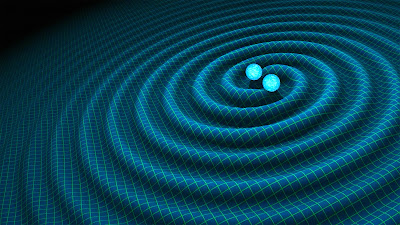
Orbiting neutron stars with gravitational waves

Playing With Gravity to Learn CUDA: Hello, World

I have been interested in CUDA for a long time, and while I've read a few books on CUDA, I have not actually gotten my hands dirty with it, yet. It's time to remedy that situation with this new blog series where I explore CUDA programming with a purpose. The end goal is to create a CUDA program that runs a scalable, multi-body gravity simulation on my GPU. Maybe I'll even draw what's being simulated on the screen. I'm not sure at this point how big I'll be able to make this simulation, but I think it'll be a good way to dive into CUDA and see what it's all about. The real goal here is to experiment, fail, struggle, and learn while having some fun doing it.

Representation of Sun-Earth Gravity

Tech Book Face Off: Programming Massively Parallel Processors Vs. Professional CUDA C Programming

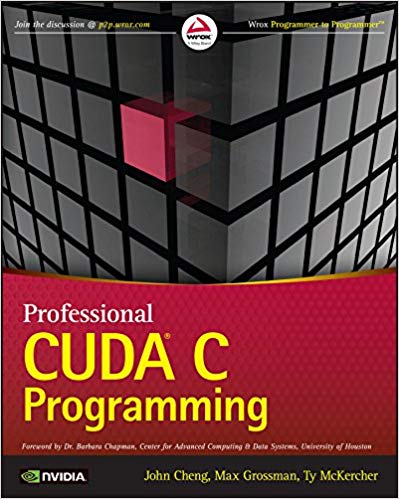
After getting an introduction to GPU programming with CUDA by Example, I wanted to dig in deeper and get to know the real ins and outs of CUDA programming. That desire quickly lead to the selection of books for this Tech Book Face Off. The first book is definitely geared to be a college textbook, and as I spent years learning from books like this, I felt comfortable taking a look at Programming Massively Parallel Processors: A Hands-on Approach by David B. Kirk and Wen-mei W. Hwu. The second book is targeted more at the working professional, as the title suggests: Professional CUDA C Programming by John Cheng, Max Grossman, and Ty McKercher. I was surprised by both books, and not in the same way. Let's see how they do at teaching CUDA programming.

Programming Massively Parallel Multiprocessors front coverVS.Professional CUDA C Programming front cover

Finding out if I've Improved as a Programmer: Part 3

I've been walking through one of my old college projects of a shell program in an effort to see how much I've improved as a programmer over the past however many years. So far this exercise has been pretty enlightening, and I hope to finish it up in this post. I've improved the formatting and added a better set of automated tests to the project, and I've made it part way through what originally was the only function in the simple shell program, main(), refactoring as I went. Now we're at the main loop of the program that reads in and executes the commands. I've tried to be as brutally honest as I can in assessing the faults of my old coding style, and I'll keep that up as we finish this out. Let's dive right in and see how to clean up the rest of the code. As before, you can follow along with my GitHub repo to see all of the refactorings in context.

Finding out if I've Improved as a Programmer: Part 2

I've been looking into whether or not I've improved as a programmer by dusting off an old shell program I wrote for a college course and seeing if I can make it any better. The exercise has been eye-opening so far. I really have come a long way on my programmer's journey, with much longer to go, I'm sure. To quickly recap, all of the refactorings I'm doing are going up on my GitHub repo so you can follow along with the changes, and I identified these general issues with the code:
  • It doesn't compile
  • Minimal tests
  • Inconsistent indenting and formatting
  • One long function in main()
  • Poor structure and organization
  • Major memory management issues
In the first article, I tackled the first three items, so I now have the last three—breaking up main(), giving the program better structure, and improving memory management—to address before I'll be happy with the revision. Let's jump right in, shall we?

Finding out if I've Improved as a Programmer: Part 1

Do you ever wonder how far you've come as a programmer? Well, I sometimes do, and today, I've decided to take a look and see if I've made any progress. I think that I have. I certainly have spent a lot of time studying and practicing to be a better programmer, not to mention the years of projects I've worked on in my career, making a living of this fascinating endeavor of instructing computers to perform automated tasks. One hopes that all of that effort hasn't gone to waste.

If I look back at one of my early projects, I should be able to easily see ways to improve it to make it clearer and cleaner. If I can't, well, what have I been doing all of these years? I decided to pluck a project from my operating systems course in college, good old CS537 from UW-Madison. It's a simple introductory project that implements a basic shell in C. The shell can execute commands either in an interactive mode from a prompt, or read commands from a file given to the shell as an argument when it starts. It's a small enough project that I can evaluate it in a couple blog posts, but not so small as to be trivial, like FizzBuzz or the Sieve of Eratosthenes.

Tech Book Face Off: The C Programming Language Vs. The Little Schemer

I decided it was time to take a look at two of the oldest books on my tech book list, the famed The C Programming Language from 1988 by Brian Kernighan and Dennis Ritchie (a.k.a K&R) and the not quite as old The Little Schemer from 1995 by Daniel Friedman and Mathias Felleisen. In the world of programming, these books are ancient, but I still hoped to gain something from reading them because new (or at least forgotten) insights can often be gleaned from old books.

I have been programming in C and C++ for nearly two decades now, so picking up a few insights was my main goal with K&R. I didn't expect to learn a ton of new stuff about the language since it's such a small language and I've been using it for so long. As for The Little Schemer, I have heard so many good things about this book and the Scheme programming language (a dialect of Lisp) that I was excited to see what it was all about. I was surprised by both books, and probably not in ways that you would expect. Let's take a look at both books in more detail.

The C Programming Language front coverVS.The Little Schemer front cover